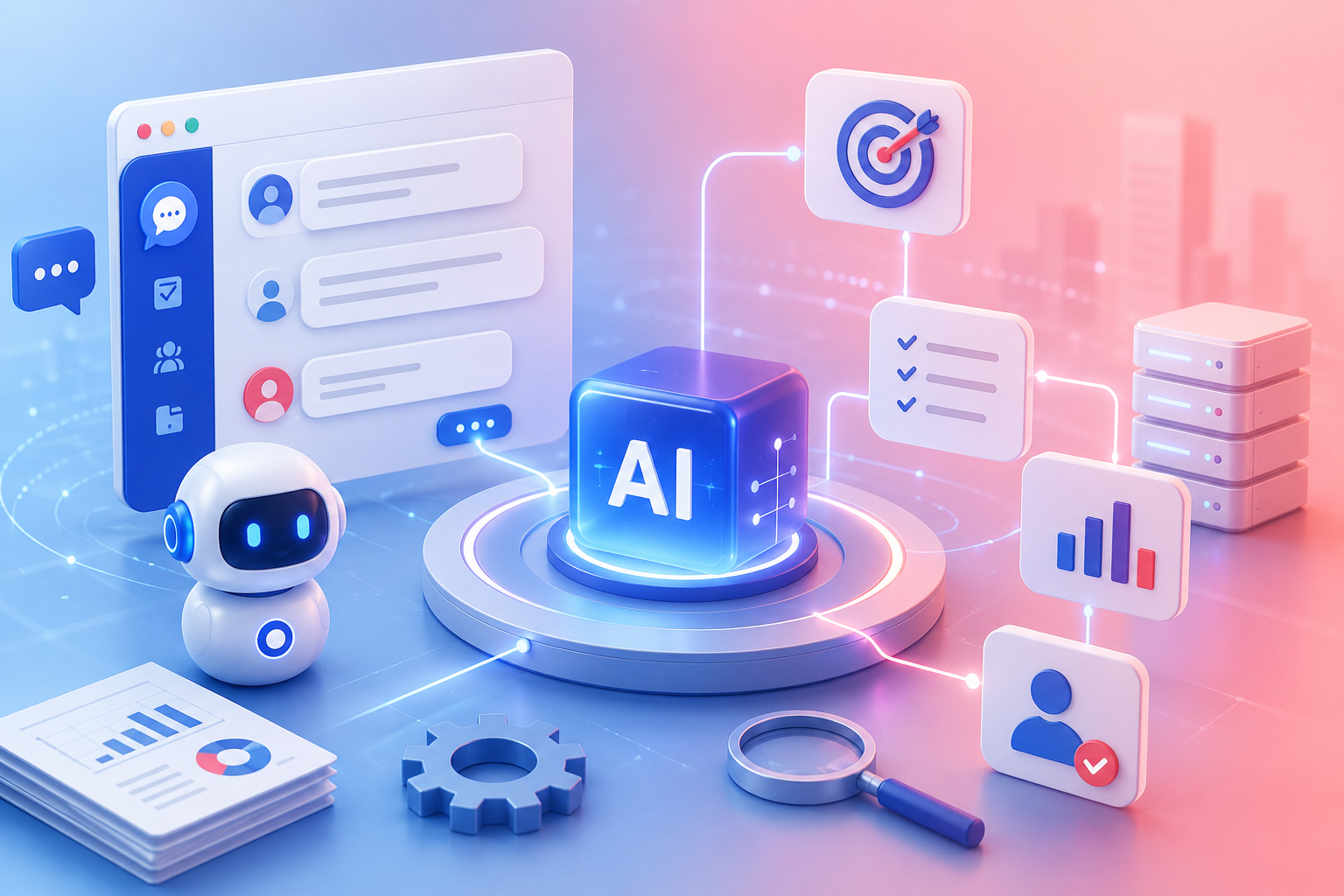
Many automated processes today include an AI-powered step, such as reading emails, summarizing documents, classifying requests, or generating content. When AI appears in a workflow, it is easy to label the entire process as Agentic Automation. However, to accurately assess the process’s level of autonomy, businesses need to clearly distinguish an Agent from an AI step.
An AI model call alone is not enough to turn an automation into an agentic process. The difference does not lie in whether the workflow uses AI, but in the role AI plays during execution: does it merely process a predefined input, or can it assess the situation, select tools, and decide what to do next?
Understanding this boundary helps businesses avoid two extremes: expecting too much from a simple AI step or using an AI Agent for work that only requires a fixed rule.
How Does Traditional Automation Work?
Traditional automation is built around a predefined sequence of triggers, conditions, and actions. When an event occurs, the system checks the relevant conditions and performs the configured action.
For example, when a customer submits a contact form, the system can automatically create a record, send a confirmation email, and notify the employee in charge. Given the same type of input, the workflow follows the same processing path.
This approach is suitable for work governed by clear rules, with little variation, that can be fully described in advance. It is fast, easy to test, and produces relatively consistent results.
Its limitations become apparent when real-world data is inconsistent or when decisions depend on multiple factors. A customer request may be missing information, a candidate may be suitable for several positions, or a delayed task may have many possible causes. To make traditional automation handle every situation, designers must anticipate and build numerous conditional branches in advance.

What Is an AI Step?
An AI step is a stage in a workflow that sends data to an AI model to perform a specific task. For example, AI may receive an email and classify it as a “Complaint,” “Support Request,” or “Product Inquiry,” after which the workflow continues along the configured branch.
An AI step enables automation to process unstructured data that rigid conditions struggle to handle. It is suitable for tasks such as:
-
Extracting information from invoices or applications.
-
Summarizing a discussion or document.
-
Translating content into another language.
-
Standardizing data presentation.
-
Classifying requests into predefined categories.
Even though AI is involved, the workflow still controls the orchestration. The model receives the data passed to it, performs the task defined in the prompt, and returns the result. It does not independently decide whether to consult another source, call another tool, or change the subsequent sequence of actions.
Therefore, a workflow containing an AI step can still be a linear automation. AI makes one processing step more flexible, but it has not yet become an active participant in deciding how the goal should be achieved.
What Is the Difference Between an Agent and an AI Step?
The difference between an Agent and an AI step is not simply the intelligence of the underlying model. Both may use the same AI model while being assigned entirely different roles within the workflow.
An AI step is given a predefined task and returns a result so the workflow can continue. An Agent is given a goal, then participates in assessing the situation and selecting an appropriate course of action within its permitted scope.
This is also the boundary between a workflow that “uses AI” and genuine Agentic Automation.

How Does Agentic Automation Differ from Automation with an AI Step?
Agentic Automation is a model in which an AI Agent is assigned a goal and given a certain degree of autonomy to determine how to achieve it. Instead of always following the same sequence, the Agent can assess current data, use relevant knowledge sources, select tools, and decide on the next action within its authorized scope.
Agentic Automation typically includes the following components:
A Goal Rather Than a Single Instruction
An AI step usually receives a specific request such as “summarize this content.” An AI Agent may receive a broader goal such as “monitor tasks at risk of delay and help the people responsible address them before their deadlines.”
To achieve that goal, the Agent must determine which tasks require attention, identify the causes of delay, and select an appropriate action for each case.
Business Knowledge and Context
An Agent needs to understand the rules, documents, and data relevant to its work. A Recruitment Agent cannot evaluate an application based only on general knowledge; it needs recruitment criteria, the job description, the candidate’s status, and the interaction history.
Knowledge sources must be restricted according to the Agent’s role and access permissions. Connecting an Agent to more data does not necessarily produce better results. Outdated, irrelevant, or unauthorized data can reduce decision quality and create security risks.
The Ability to Use Tools
Agentic Automation goes beyond generating text. An Agent can use tools to read data, find documents, create tasks, update statuses, send notifications, or route a request to the responsible person.
The key point is that the Agent selects tools based on the actual situation. If an application is incomplete, the Agent can request additional information. If it meets the requirements, the Agent can move it to the next evaluation stage. If the case falls outside its permitted scope, the Agent hands it over to a human instead of handling it independently.
State Maintained Throughout the Process
An AI step usually ends after returning its output. An Agent, by contrast, needs to know the current stage of the work, what has already happened, and which steps remain incomplete.
Maintaining state allows an Agent to track a process that extends across several days or multiple interactions. However, maintaining state does not mean that the Agent is free to remember all data. Businesses need to define what information may be stored, how long it may be retained, and who may access it.

Comparing Automation, an Agent, and an AI Step
|
Criterion |
Traditional automation |
AI step |
Agent in Agentic Automation |
|
How it starts |
A predefined trigger |
A predefined trigger |
A trigger, event, schedule, or goal |
|
Processing flow |
Fixed according to rules |
Mostly fixed, with some AI-powered steps |
Can change based on data and the Agent’s decisions |
|
Role of AI |
None or very limited |
Performs an assigned task |
Assesses the situation and selects an approach |
|
Knowledge used |
Data passed into the workflow |
Prompt content or input data |
Authorized data, documents, and context |
|
Ability to use tools |
Tools are called in a predefined order |
The workflow determines which tools are used |
The Agent can select the appropriate tools |
|
Predictability |
High |
Relatively high |
Lower and requires control mechanisms |
|
Best suited for |
Work governed by clear rules |
Independent, one-off AI tasks |
Processes that require judgment and adaptation |
An Example from the Recruitment Process
The difference becomes clearer when all three models are applied to the same process.
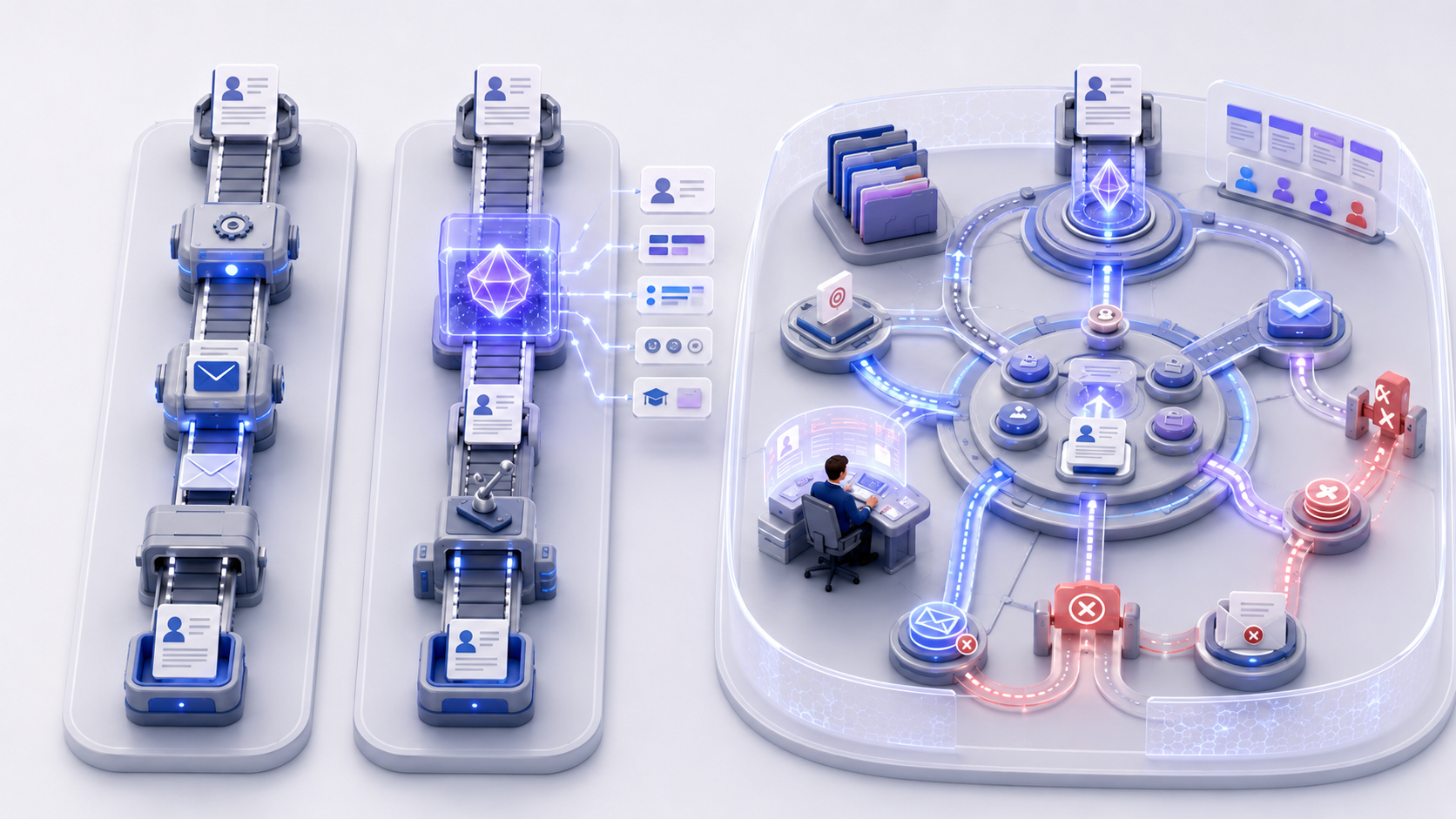
With traditional automation, when a candidate submits a CV, the system sends a confirmation email and creates a profile with the status “New.” These actions always occur in a fixed sequence.
When an AI step is added, the model can extract the candidate’s name, experience, skills, and qualifications from the CV. The extracted data is then entered into the corresponding fields, but the workflow still determines the next step according to predefined rules.
With Agentic Automation, a Recruitment Agent can read the CV, compare it against the position’s criteria, check for missing information, and identify cases that require HR review. Once authorized to proceed, the Agent can help send an interview invitation, monitor the candidate’s response, and update the candidate’s status.
The Agent does not necessarily make every decision in the process. Decisions such as rejecting a candidate, approving a salary, or sending an official offer may still require confirmation from the person responsible.
When Should a Business Choose an AI Step Instead of an Agent?
Not every workflow needs an AI Agent. If a task is independent, the input already contains all the necessary information, and the expected output can be clearly defined, an AI step is usually the more appropriate choice.
For example, translating a message, extracting a total from an invoice, or summarizing a meeting record does not require an Agent to create its own plan. Using Agentic Automation for these tasks may increase costs, make the process harder to test, and introduce unnecessary decisions.
An AI step is appropriate when a business needs AI to help perform an operation. An Agent is appropriate when the system needs AI to help determine which operation should be performed. This is the simplest way to distinguish an Agent from an AI step when designing a workflow.
When Should a Business Choose an Agent?
Agentic Automation is valuable when a process contains many situations that cannot be fully described with rules, or when the next step depends on changing context.
A business may consider using an Agent if the work has one or more of the following characteristics:
-
Information must be gathered from multiple sources before a decision can be made.
-
The process has many possible paths that are difficult to anticipate fully in advance.
-
State must be tracked across multiple steps or interactions.
-
The Agent must select tools according to each case.
-
Results must follow the business’s own policies and data.
-
Some actions can be performed automatically, while important decisions must be handed over to a human.
The right starting point is not to convert the entire workflow into an agent-driven process. A business should identify precisely which steps require flexible judgment, while keeping steps with clearly defined outcomes as fixed automation.
What Role Does Human-in-the-Loop Play?
Because Agentic Automation provides greater autonomy, it also requires clearer boundaries. A business must define which actions the Agent may perform independently, which actions require approval, and which situations require the process to stop and be handed over to a human.
For example, an Agent may automatically remind someone about a task approaching its deadline but require a manager’s approval before changing the assignee. An Agent may recommend suitable candidates, but HR still decides the recruitment outcome. An Agent may prepare a financial report but cannot approve an expense independently.
Human-in-the-Loop does not reduce the value of Agentic Automation. It is a mechanism for combining AI’s processing speed with human judgment, accountability, and authority.
In addition to approval points, a business should retain records of the data the Agent used, the tools it called, the decisions it made, and the results of each action. The ability to review these records is essential when an Agent participates in a real business process.

How Are an Agent and an AI Step Used in ChaTask?
ChaTask connects Chat, Task, Wiki, and AI Agents within the same AI Workspace. As a result, an Agent does not merely receive an isolated prompt. It can operate within the relevant work environment, access authorized data, and track the state of a process.
In task management, Task Assistant can help monitor deadlines and identify tasks requiring attention. For reporting, Report Agent can compile work data within the scope the user is authorized to view. In recruitment or HR, an Agent can combine process status with business documents to recommend an appropriate next step.
Actions with deterministic outcomes should still be handled through rules or conventional automation. An AI step is suitable for independent tasks such as extracting, classifying, or summarizing content. An AI Agent is used at points that require reading context, assessing a situation, or recommending the next step. This combination allows a workflow to remain flexible while preserving control.
Agentic Automation, therefore, does not mean handing an entire process over to AI. Its practical value lies in assigning roles appropriately: automation handles clearly defined steps, an AI step processes a specific unstructured task, an Agent makes assessments within its assigned scope, and humans retain decision-making authority at critical points.
Conclusion
The presence of AI in a workflow is not enough to make a process Agentic Automation. If AI simply receives an input, generates an output, and stops, it remains an AI step within a predefined workflow.
Agentic Automation begins when an AI Agent can understand a goal and use context and tools to select an appropriate course of action. This capability introduces flexibility, but it also requires clear permission boundaries, approval points, and review mechanisms.
Instead of asking, “How can we put AI into every step?”, businesses should begin with a more practical question: Which steps only need automation, which require AI processing, and which genuinely need an Agent to participate in decision-making?
Correctly distinguishing an Agent from an AI step helps businesses choose the right level of autonomy for each type of work. When these roles are assigned appropriately, AI does not merely appear in a workflow as an added feature; it can become a useful part of how work is executed.