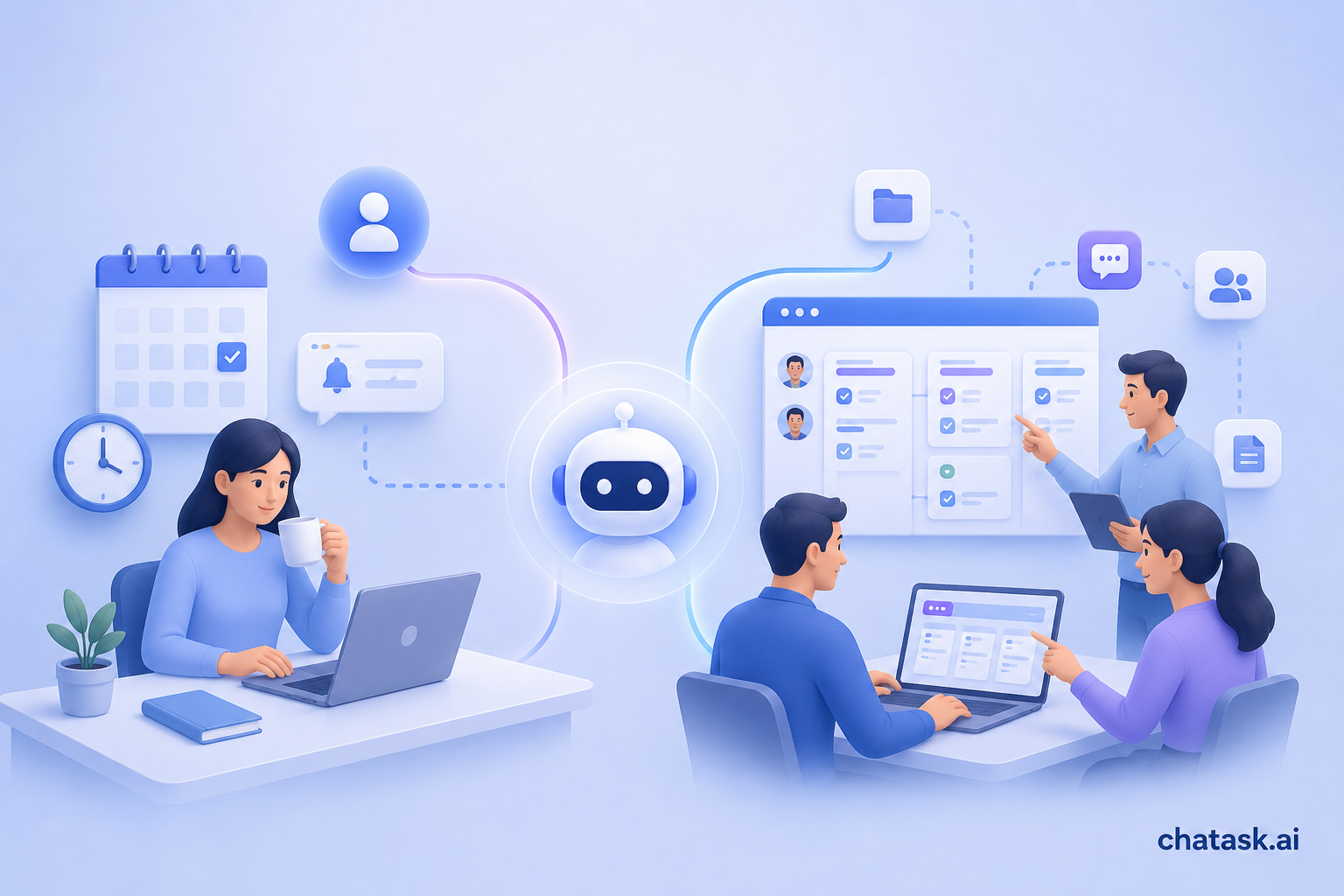
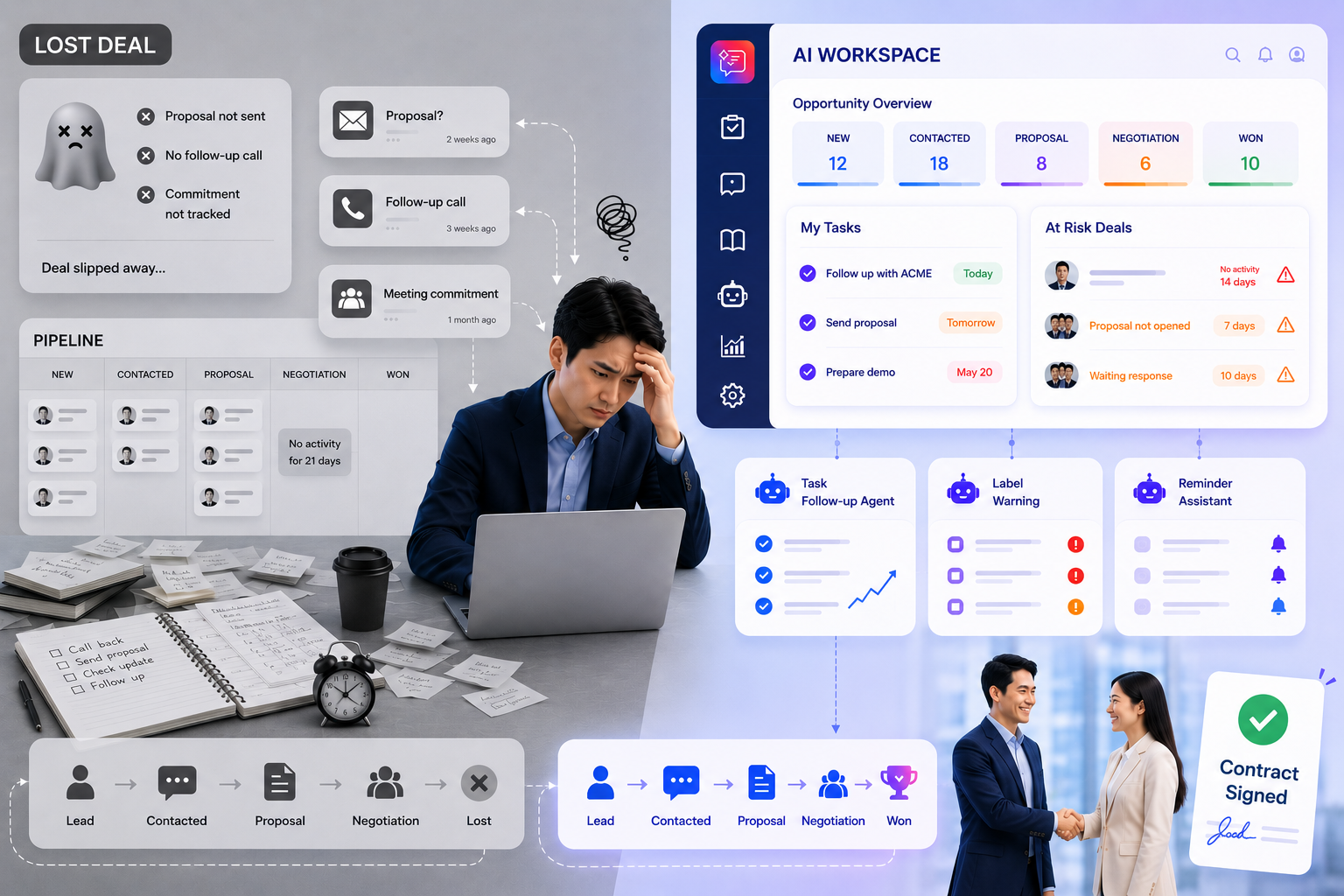
Most work management tools today are built around Tasks. When a project starts, Tasks are created along with Subtasks or Checklists to manage the work that needs to be completed.
For example:
-
Complete the login screen UI
-
Test the payment function
-
Prepare a proposal for a customer
-
Sign a contract with a supplier
These are all tasks that have been defined from the beginning. However, in reality, throughout the process of working and communicating, many issues arise that need to be addressed, and not every issue requires creating a Task or Subtask. So how can these issues be tracked and managed?
Unexpected Issues Are Inevitable in Any Work
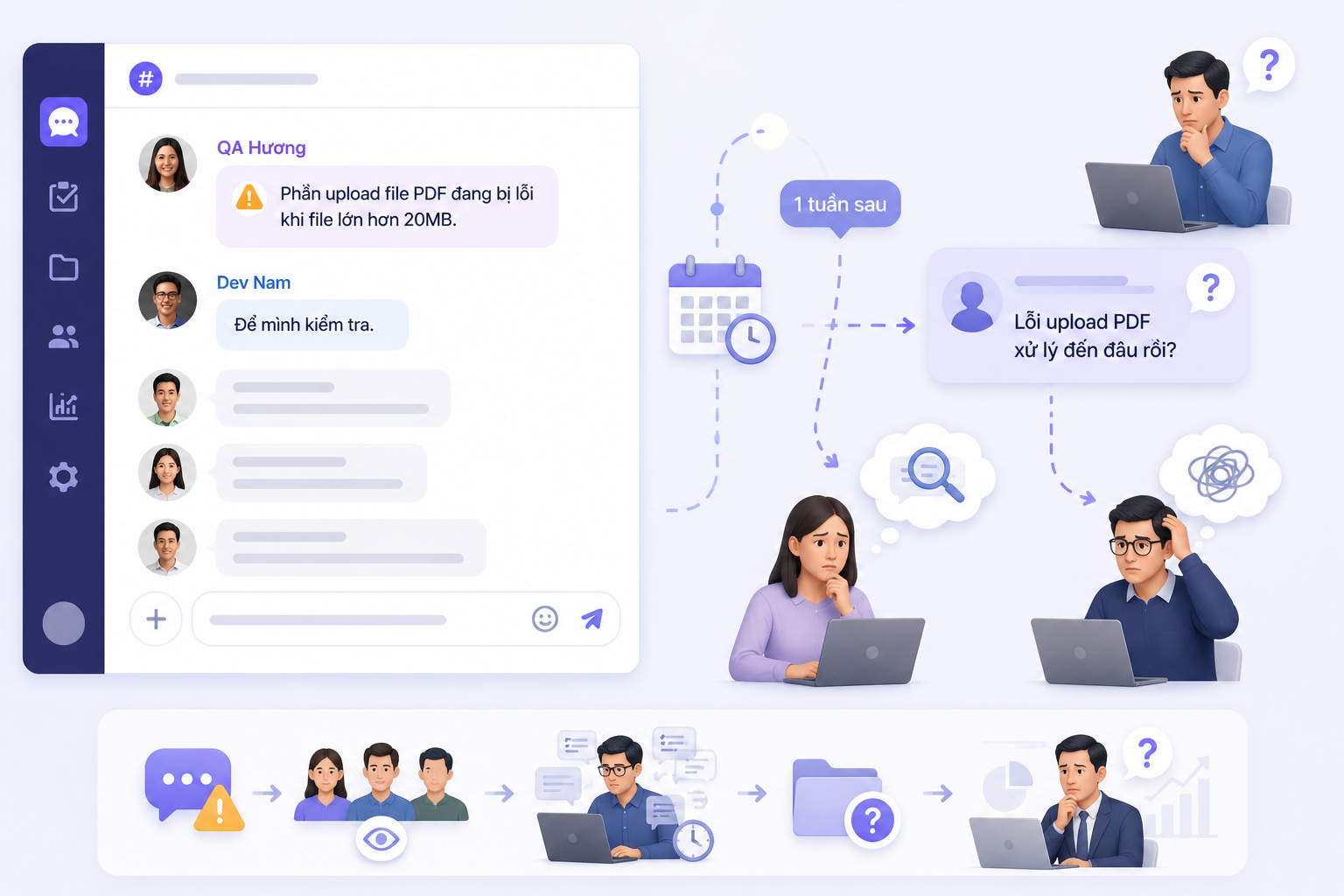
Imagine a development team discussing the implementation of a new feature in a Task Thread. During the discussion, a QA member sends a message: "The PDF upload feature fails when the file size exceeds 20MB." Everyone sees the message. A developer replies:
"I'll check it." The conversation continues. More messages appear. The next day, even more discussions take place.
A week later, the manager asks: "What's the status of the PDF upload issue?"
At this point, everyone starts searching through the chat history. The person who reported the issue is not sure who is handling it. The manager does not know the current status.
The developer may also have forgotten about it because they are working on many other tasks. This is a very common situation. The issue has been identified, but there is no mechanism to track it.
Creating a New Task Is Too Much, Not Creating One Makes It Easy to Forget
With many tools today, there are usually two options for handling unexpected issues. The first option is to create a new Task. However, in reality, very few people want to create a Task just to handle a minor bug or a single issue that arises.
The second option is to do nothing. People simply discuss it in the chat and try to remember it themselves. This is where the risk begins.
The issue still exists, but no one is tracking it. No one knows who is responsible. No one knows when it will be resolved.
Label Warning Was Created Specifically for Situations Like This
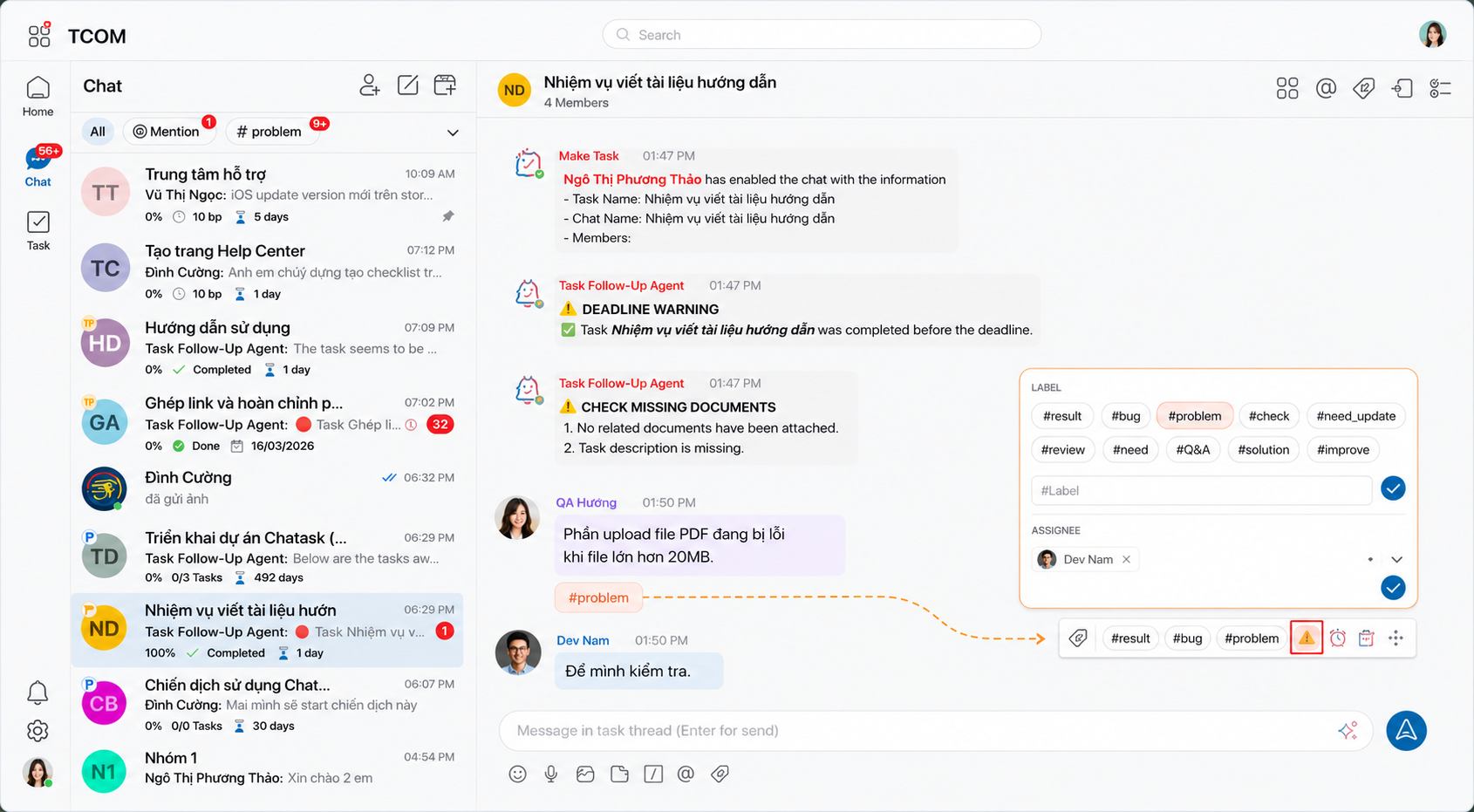
In ChaTask, users can attach a Label Warning directly to the message where the issue arises.
For example, in the message: "The PDF upload feature fails when the file size exceeds 20MB."
The QA member creates a Label Warning and assigns it to the responsible developer. Immediately, everyone in the Task Thread can see:
-
This is an issue that needs to be addressed
-
Who is responsible for it
-
The current status of the issue
There is no need to create another Task. No need to switch to another tool. No need for personal notes. The issue is managed right where it appears.
AI Agent Ensures Issues Are Never Forgotten
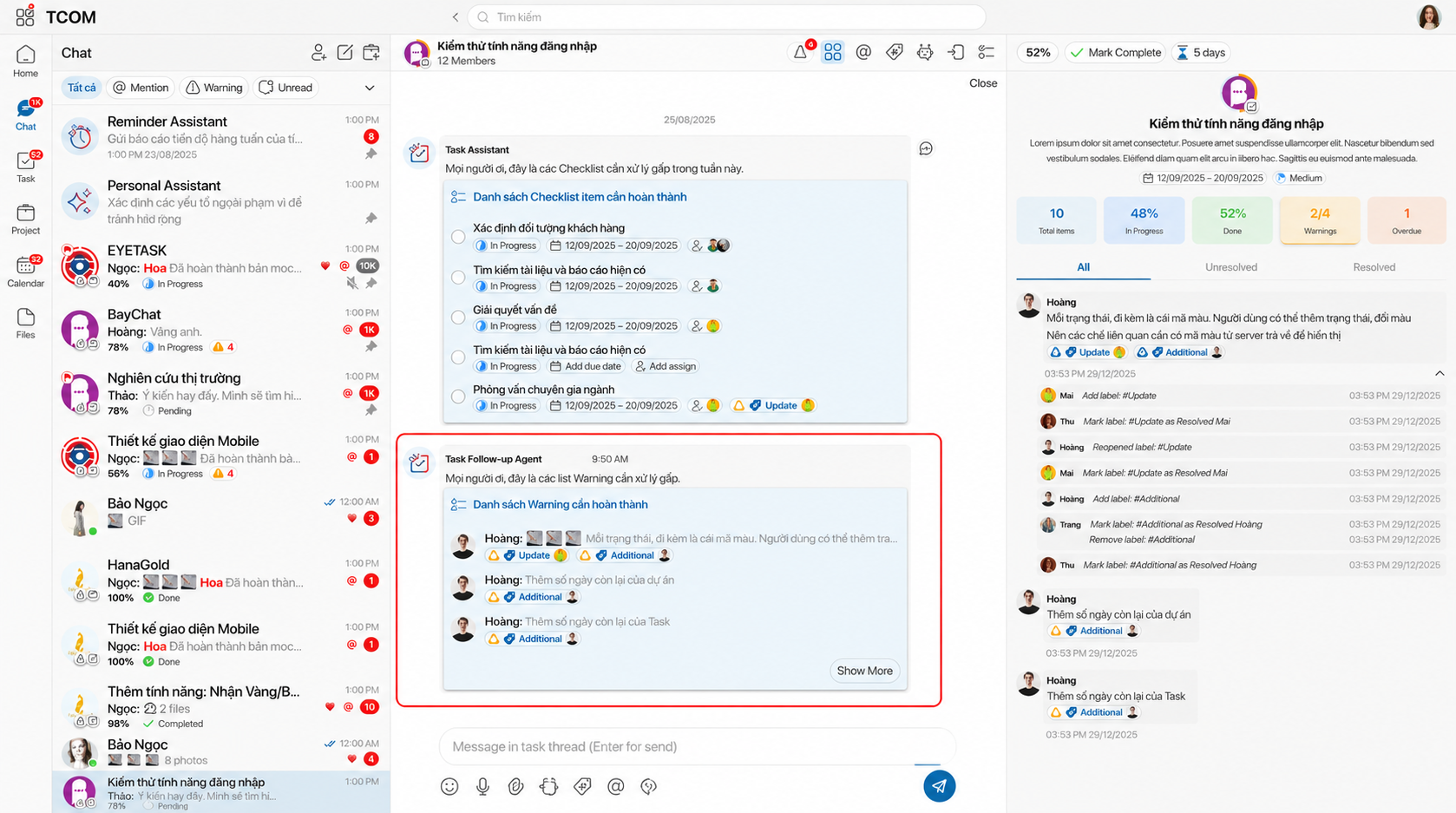
When a Label Warning is created, ChaTask's AI Agent starts monitoring it. If the Warning has not been resolved, the Agent will proactively remind the team directly within the Task Thread.
The reminders appear exactly where the team is working. No emails are required. No private messages are required. No additional management tools are required. The Agent continues tracking and reminding until the issue is resolved.
Completing the Work Is Not Enough - Someone Needs to Confirm It
An issue being resolved does not necessarily mean it is truly finished. After the developer fixes the problem, they simply click the Label Warning to change its status to Resolved.
This means: "I have completed my part of the work."
The QA member or the person who created the Warning then reviews the result. If everything is correct, they change the status to Confirmed.
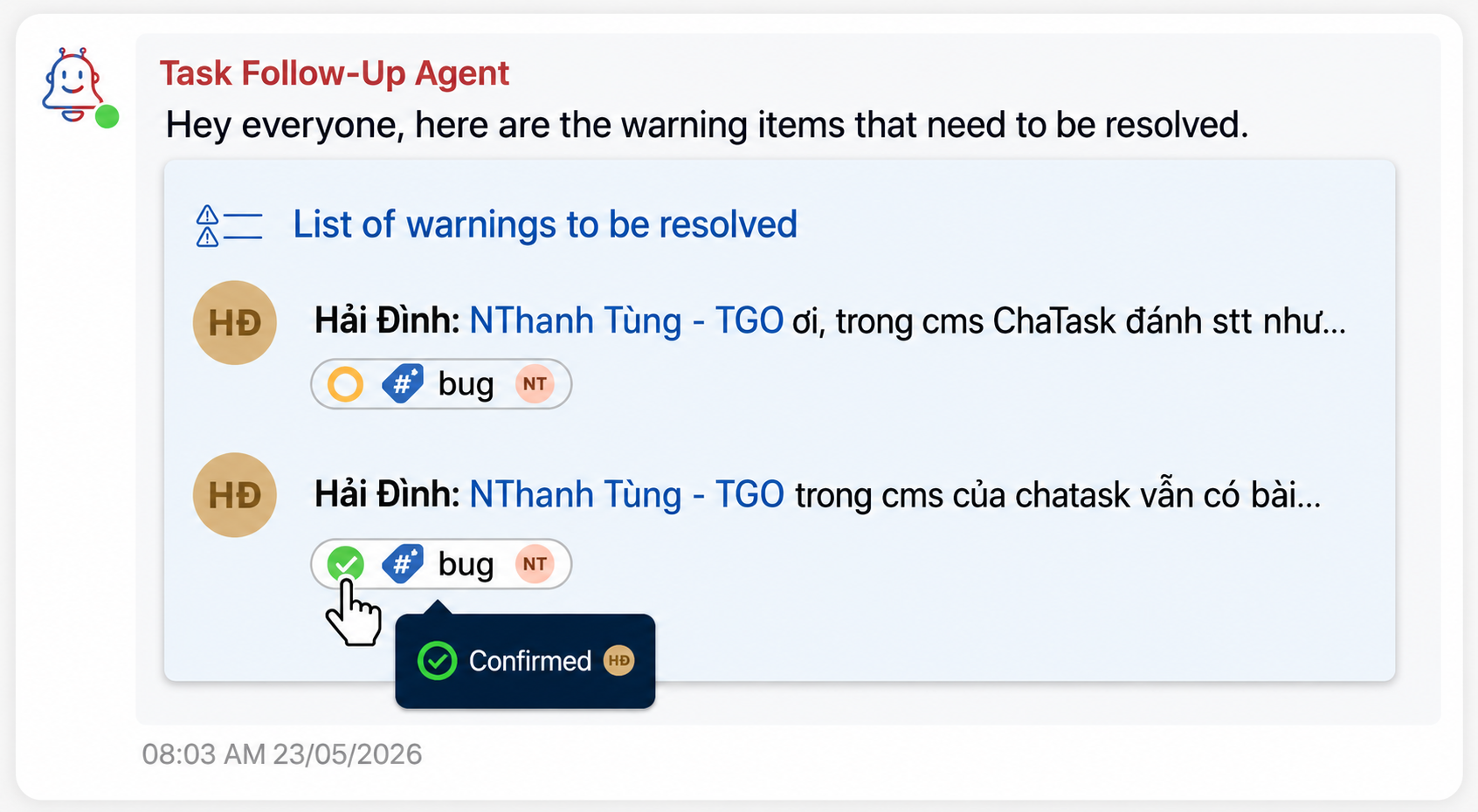
Only then is the Warning considered complete. This two-step process ensures that an issue is not only marked as resolved but is also verified by the creator or another relevant stakeholder. As a result, teams can reduce misunderstandings, avoid overlooked issues, and prevent problems from being closed prematurely before the expected outcome has actually been achieved.
At the same time, separating the person who resolves the issue from the person who confirms it increases transparency, strengthens accountability, and creates a clearer collaboration process for everyone involved.
The Entire History Is Stored Directly Within the Conversation
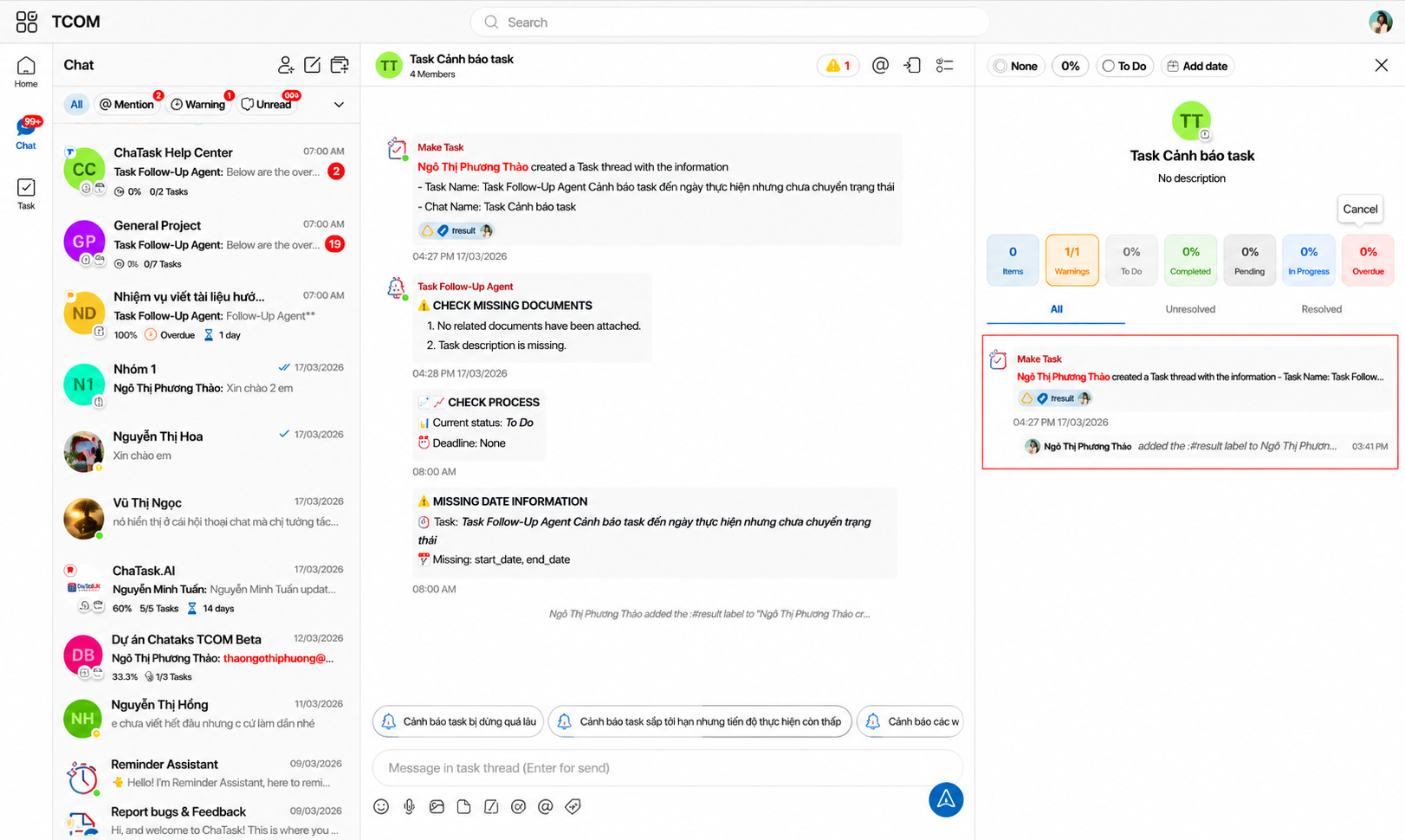
Another important benefit is that all activities are displayed directly in the chat.
Users can see:
-
Who created the Warning
-
Who was assigned to handle it
-
When it was marked as Resolved
-
Who confirmed it
-
When it was confirmed
There is no need to open another management screen. No need to search through emails. No need for manual tracking. The entire history of the issue remains attached to the conversation where it originally appeared.
Label Warning Does Not Replace Tasks
Tasks help manage planned work. Checklists help manage the steps required to complete that work. Label Warning is designed to manage the issues that arise during day-to-day communication and collaboration.
Label Warning transforms a message within a conversation into an actionable item with a responsible owner, AI Agent follow-up, status tracking, and a complete confirmation history.
That is why Label Warning has become one of ChaTask's standout features, enabling teams to manage work directly within chat without missing important action items.