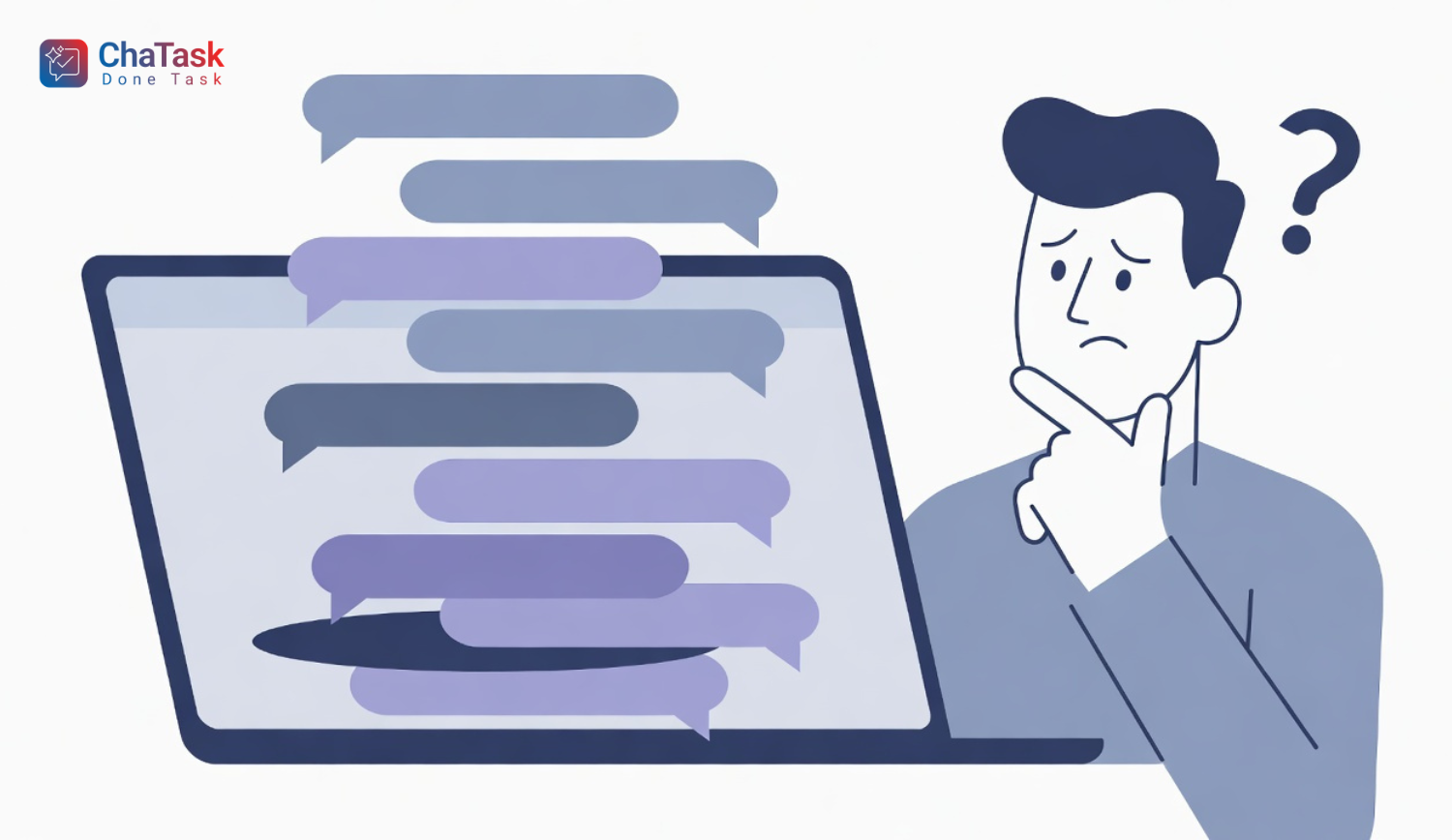
In a modern work environment where communication happens continuously alongside progress management, the biggest issue is not the lack of tools, but the mixing of information.
Many teams fall into a situation where discussions and tasks exist in separate places, making tracking fragmented and difficult to control. When an important conversation gets “lost” among dozens of messages, or when you receive too many notifications unrelated to your work, productivity drops significantly.
This is exactly the context that Task Thread in Chatask is designed to solve.
What is a Task Thread?
A Task Thread can be simply understood as a dedicated workspace attached to each specific task within a project. Instead of separating task management from communication, Task Thread brings everything into the same context.
All information such as task content, assignees, status, timeline, and related discussions are placed within a single “thread.” This allows each task to become an independent unit where everything is clear and traceable.
Why should every task have its own thread?
When each task has its own thread, the first thing that improves is focus. Users no longer need to filter information across multiple conversations, but can work directly within the space relevant to their task. This significantly reduces constant context switching, one of the main causes of distraction in digital work environments.
In addition, keeping discussions within a single thread minimizes the risk of missing important information. Every decision, file, or update is recorded along the task’s timeline instead of being scattered across different channels. When reviewing, you don’t have to dig through chat history—you simply open the relevant thread to get the full context and continue working effectively.
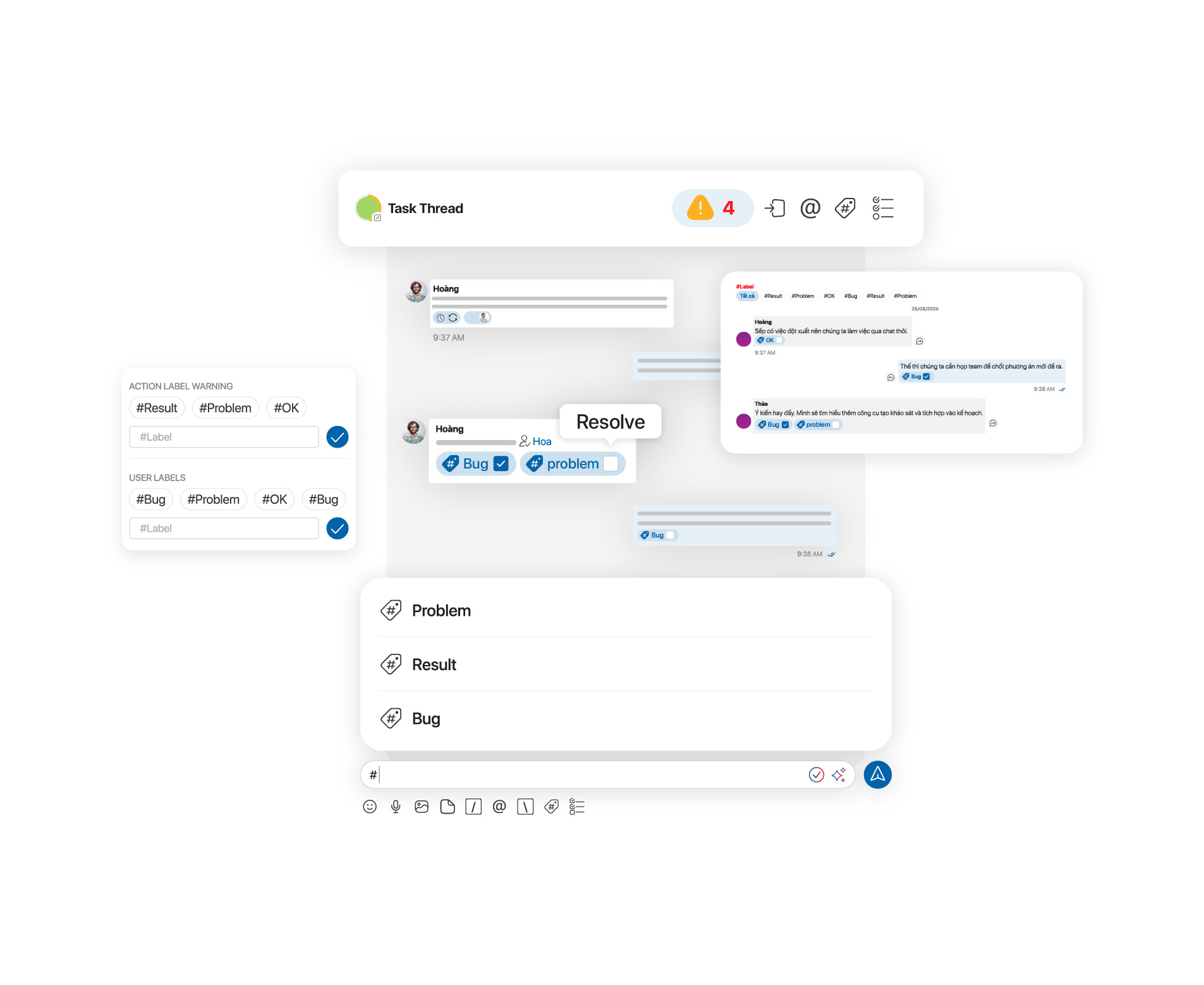
Another fundamental benefit is clarity of responsibility. When a task is clearly assigned to a doer, a reviewer, and an observer, and all discussions happen within the same thread, every role becomes transparent. This helps reduce misunderstandings and eliminates the tendency to shift responsibility within a team.
Beyond communication, Task Thread also connects directly with the task management system. Each task is not only defined by its content but also placed within a specific phase such as planning, analysis, development, or testing, and assigned a clear status such as in progress, completed, or pending. When all these elements are discussed within the thread, management and execution are no longer separated but become a unified workflow.
Another important advantage is reduced notification overload. Instead of receiving updates from every conversation in a project, users only get notifications related to their tasks. This not only reduces information pressure but also improves the quality of each notification received.
How to create a Task Thread in Chatask
To create a Task Thread in Chatask, you can follow these steps:
Step 1: In the project workspace, click on the Task icon to access the task management area. This is where all tasks in the project are centralized.
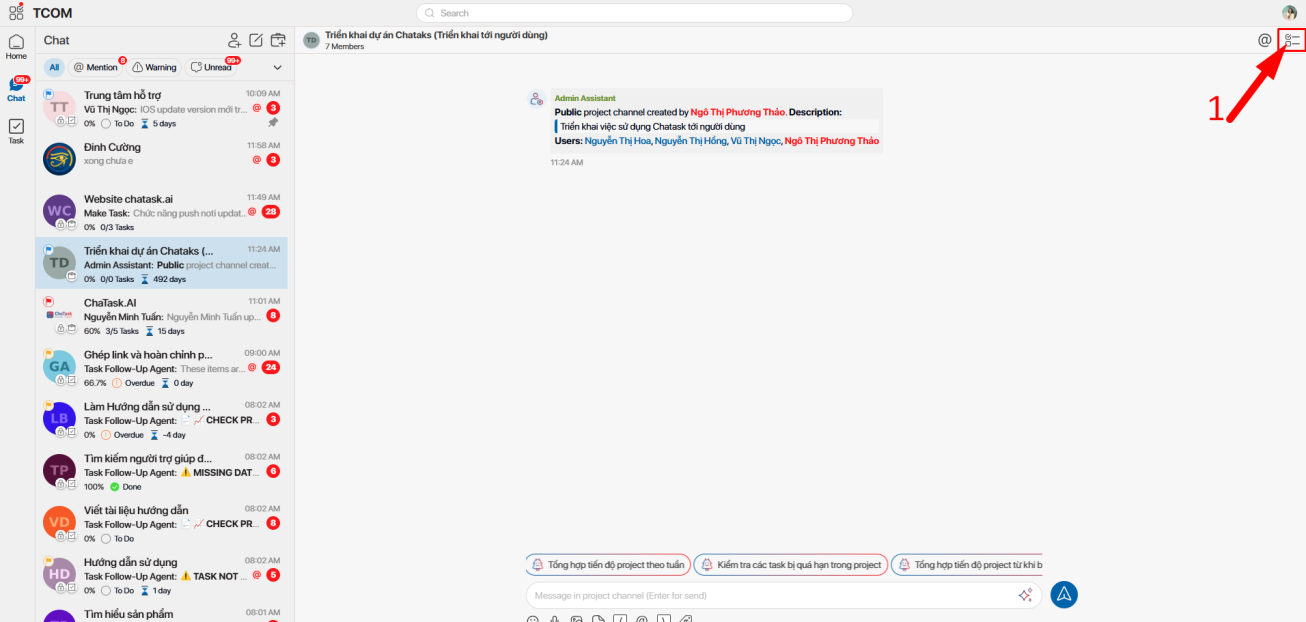
Step 2: From the feature list, select Tasks to open the current task list and start creating a new one.
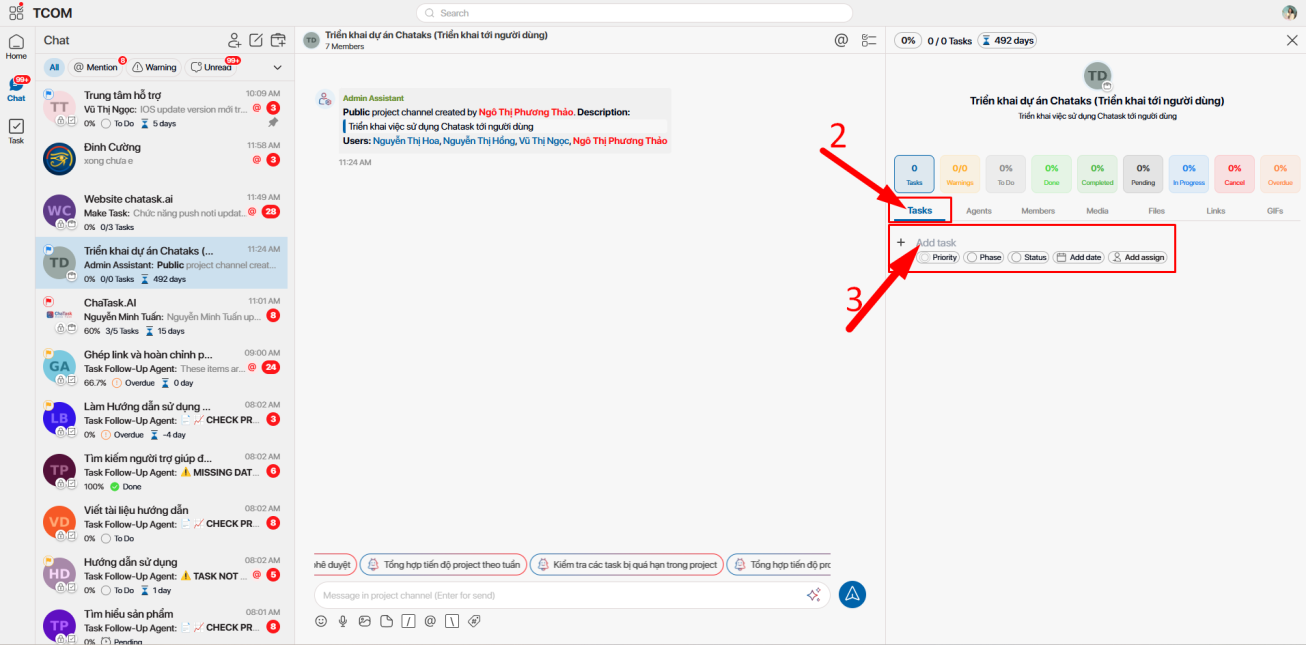
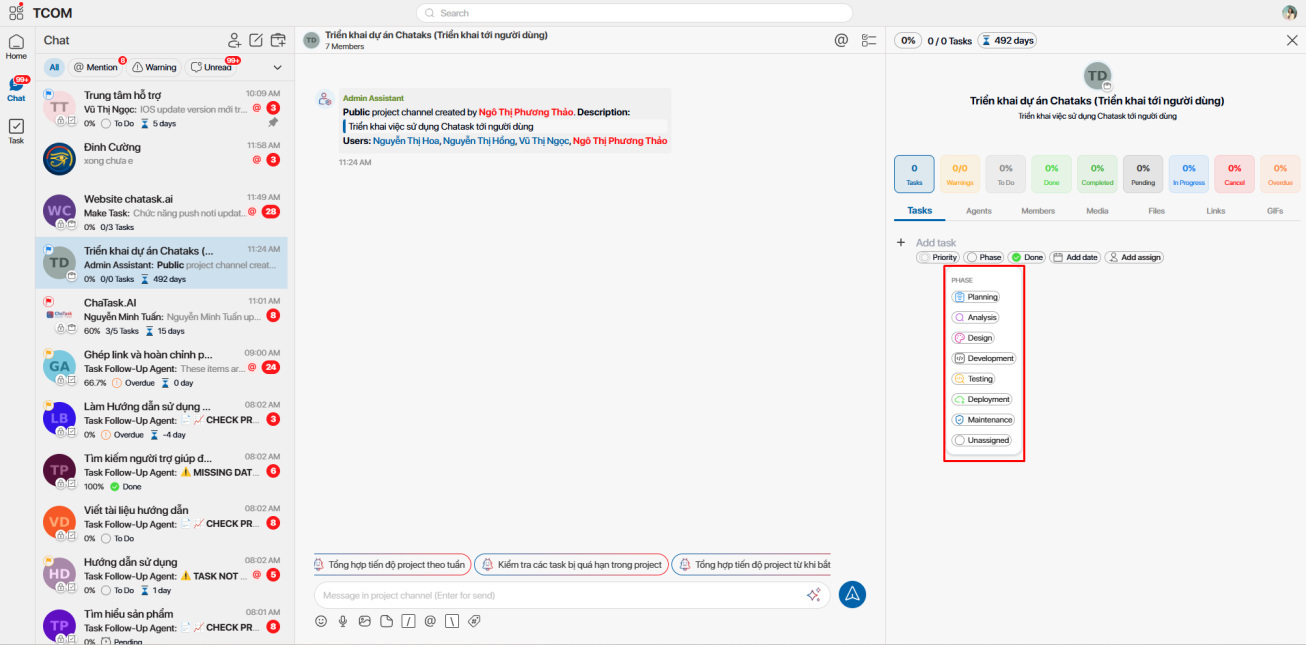
Step 3: In the Add task section, enter the necessary information. First, name the task to clearly define what needs to be done. Next, choose the Phase to indicate the stage of the task, such as Planning, Analysis, Development, Testing, Deployment, or Maintenance, depending on the workflow.
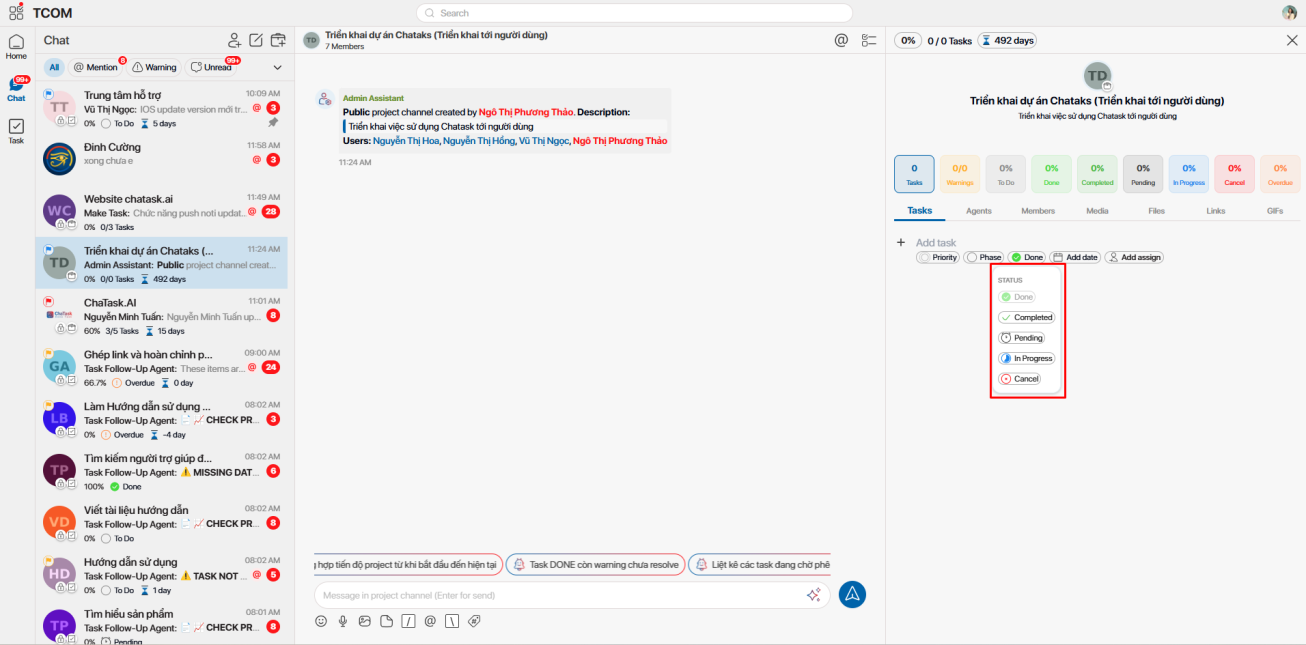
Then, set the Status to reflect the current state of the task, such as To do, In progress, Done, Completed, or Pending. You should also add start and end dates in the Add date section to clearly manage deadlines.
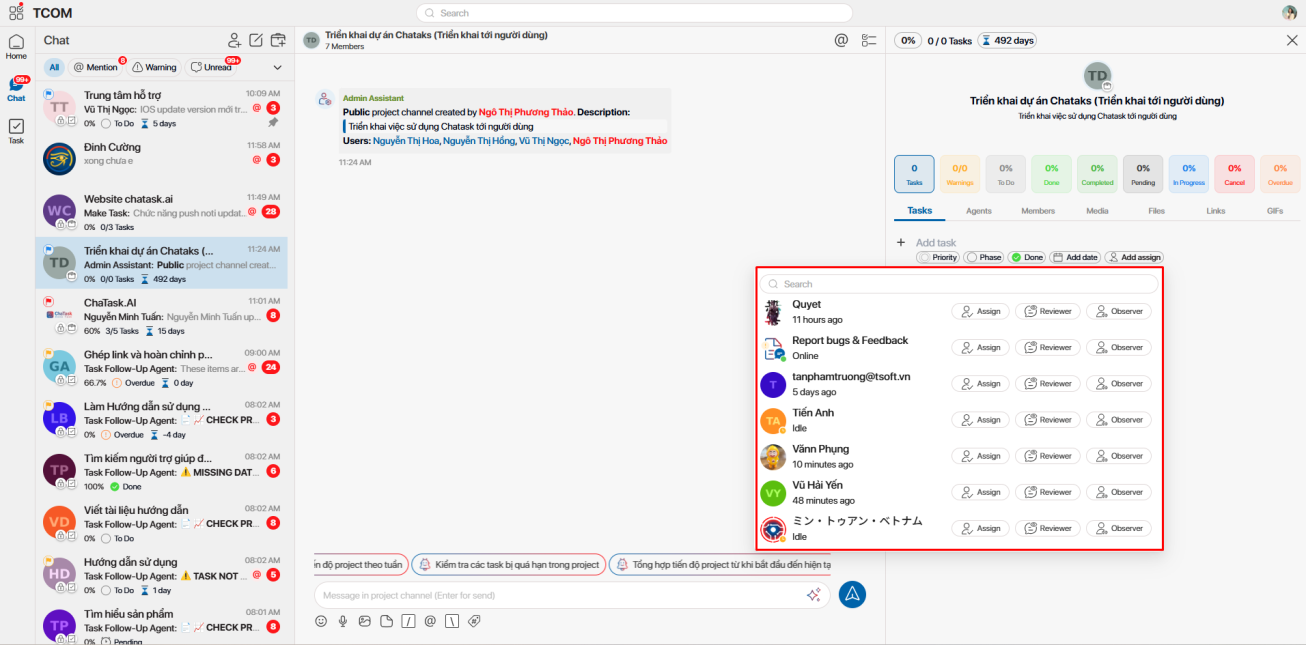
Finally, assign relevant people in the Add assign section, including the main assignee (Assign), the reviewer (Reviewer), and the observer (Observer). Defining roles from the beginning ensures clear responsibility throughout the task lifecycle.
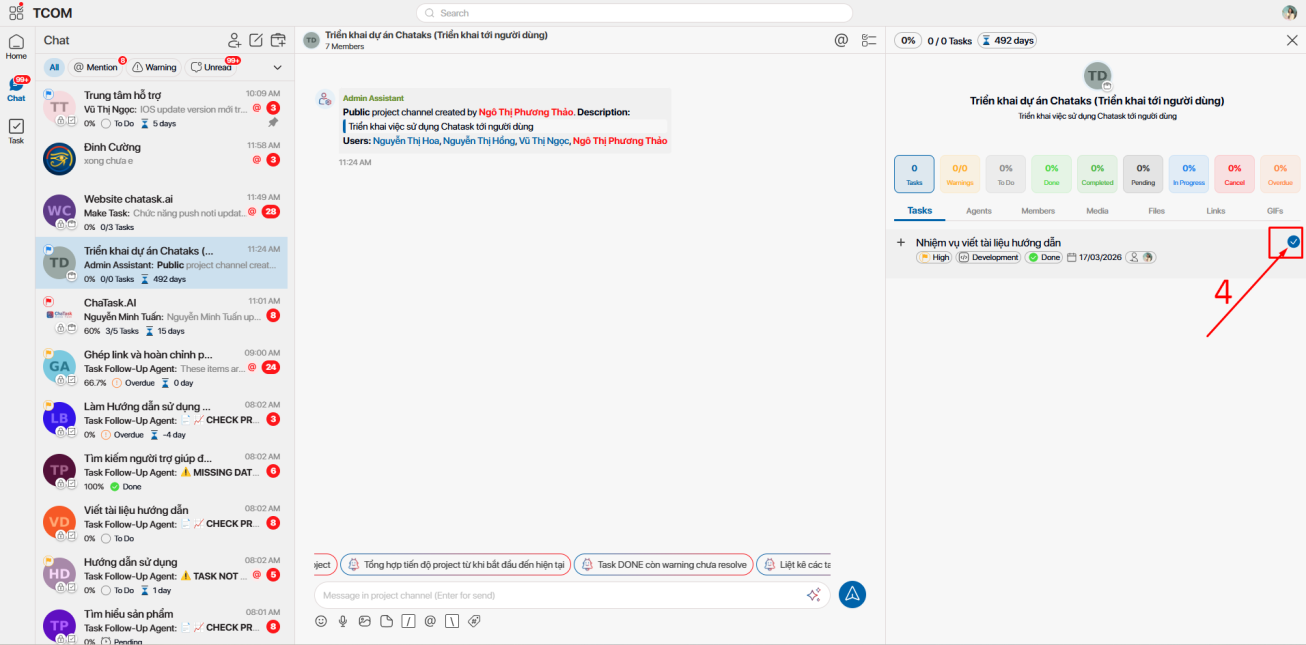
Step 4: After completing all the information, click the check icon to save. At this point, Chatask will automatically create a dedicated Task Thread for the task, where all related discussions and updates will take place in a focused and continuous manner.
Task Thread – the foundation of a modern workspace
From a broader perspective, Task Thread is not just a feature for task management, but a way to restructure how teams operate. When each task becomes a center that contains full context, communication is no longer generic but always tied to specific actions. This creates an environment where people, work, and interactions are tightly connected, rather than fragmented.
Conclusion
Having a dedicated thread for each task is no longer just an optimization—it is gradually becoming a standard in modern workspaces. When information is placed in the right context, responsibilities are clearly defined, and communication is directly tied to action, team productivity improves significantly. Task Thread in Chatask not only helps you manage work better but also reshapes how your team works every day.