An SOP (Standard Operating Procedure) is a document that describes the specific steps required to perform a task according to an agreed-upon process within an organization, ensuring consistent quality and results regardless of who performs the task.
The problem for most businesses is not a lack of SOPs, but that SOPs are scattered across Word files, Google Drive, and Zalo groups - making them difficult for employees to find when needed and ultimately forcing employees to ask their colleagues again. Digitizing SOPs with AI addresses this exact problem: transforming static procedures into a system where employees can ask questions and receive instant answers with source citations.
What Is an SOP? Why Do Businesses Need SOPs?
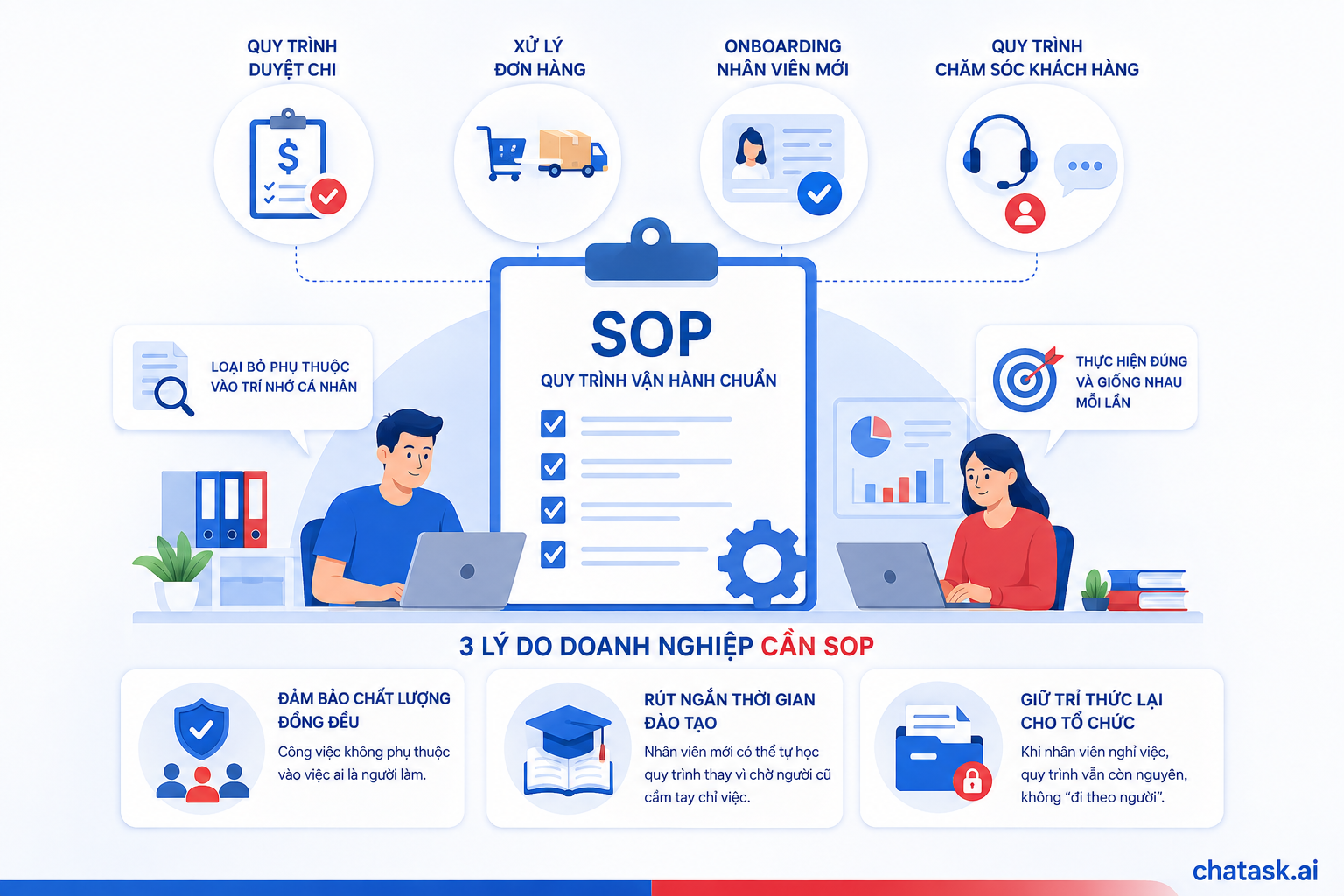
An SOP is a document that standardizes the steps required to perform a recurring task—from expense approval and order processing to new employee onboarding and customer service procedures. The purpose of an SOP is to eliminate dependence on individual memory or experience so that tasks are performed correctly and consistently every time.
There are three key reasons why businesses need SOPs:
-
Ensure consistent quality: Work outcomes do not depend on who performs the task.
-
Reduce training time: New employees can learn procedures independently instead of waiting for experienced colleagues to guide them step by step.
-
Preserve organizational knowledge: When employees leave the company, the procedures remain within the organization instead of “leaving with them.”
Challenges of Traditional SOPs
Most Vietnamese businesses already have SOPs in Word or PDF format, but they still face the following problems:
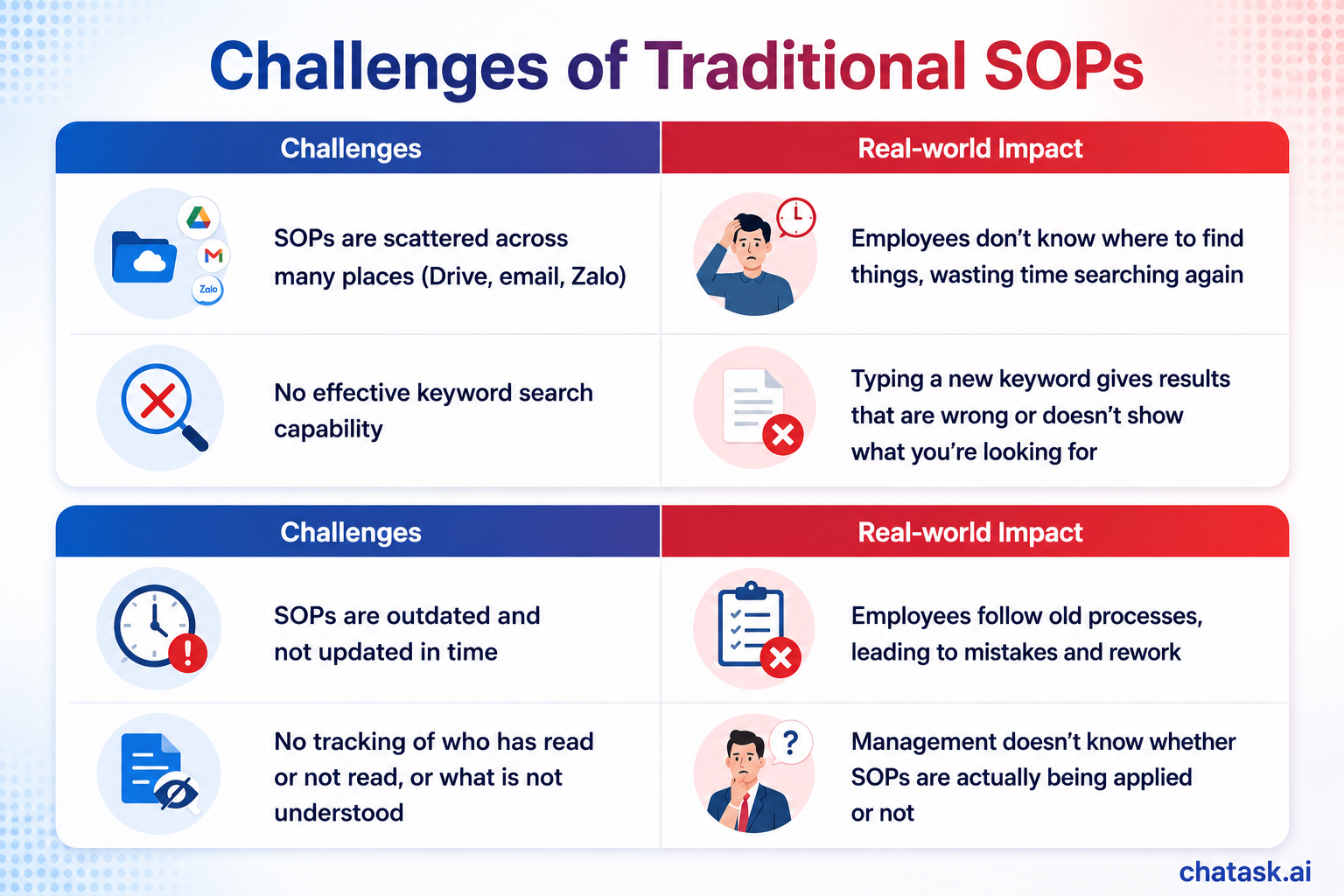
This is exactly why “SOP digitization” does not simply mean converting Word files into PDFs and uploading them to Drive - it means transforming SOPs into data that can be searched and accessed using natural language.
What Does It Mean to Digitize SOPs with AI?
Digitizing SOPs with AI is the process of bringing all procedures and internal documents into an AI-powered Wiki system, allowing employees to simply ask questions in natural language - for example, “What is the approval process for expenses over VND 10 million?” - and receive accurate answers with citations to the original documents instead of manually searching through files.
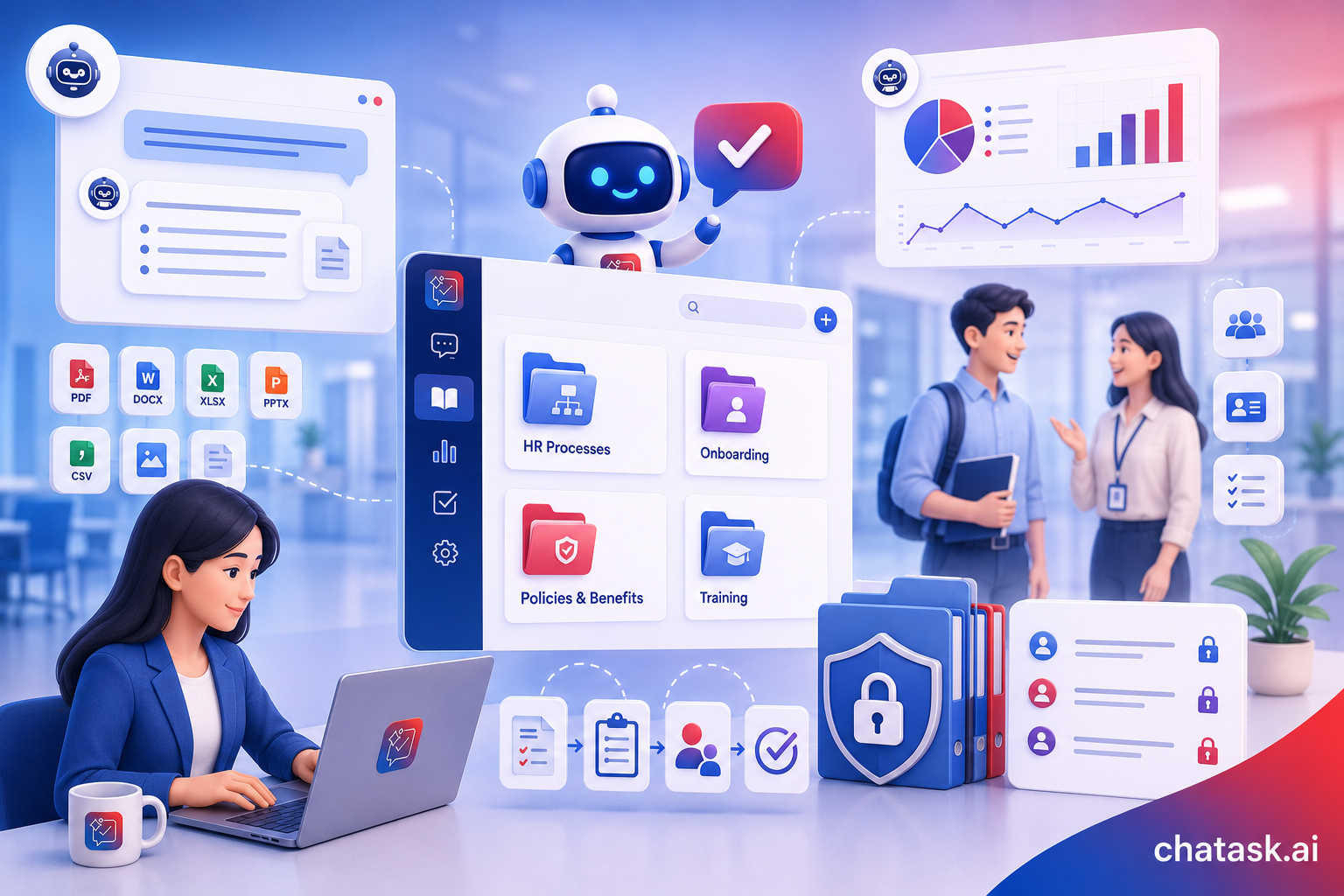
Unlike conventional file storage, an AI Wiki system understands the semantic meaning of questions, synthesizes information from multiple relevant documents, and provides answers directly within employees’ daily work conversations.
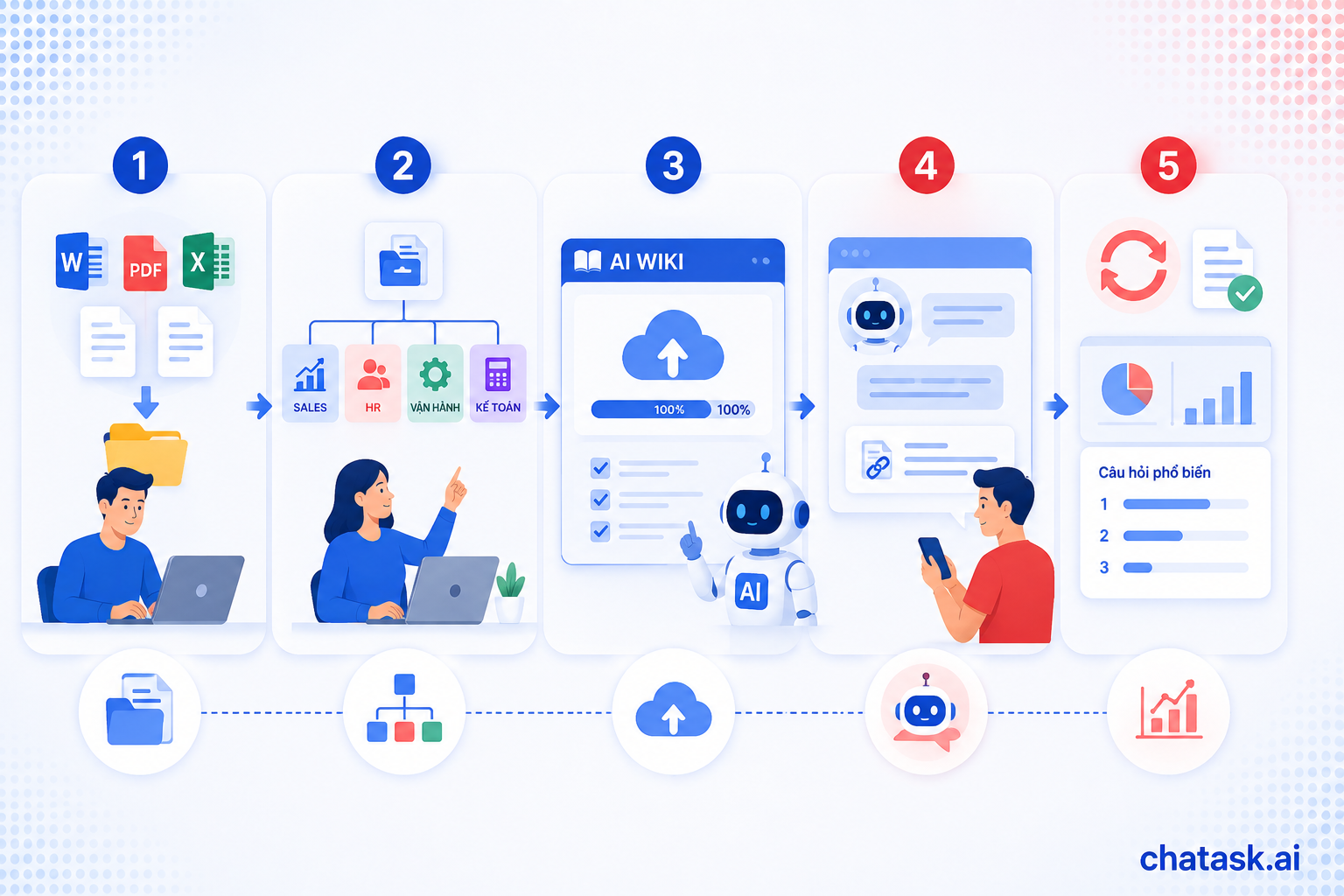
How to Digitize SOPs with AI: 5 Implementation Steps
-
Collect and standardize existing documents
Bring all existing SOPs - Word files, PDFs, Excel files, handwritten instructions, and other materials - into one place. There is no need to rewrite everything from scratch; AI can process documents in their original formats. -
Categorize documents by department and process
Organize SOPs into a clear structure, such as Sales, HR, Operations, Accounting, and other departments, so the AI system can provide answers in the correct context when employees from different departments ask questions. -
Upload documents to an AI-powered Wiki system
Upload all documents to an AI Workspace platform with Wiki functionality. AI automatically indexes the content so that information can be searched and retrieved based on semantic meaning rather than keyword matching alone. -
Set up an AI Agent to answer questions automatically in chat
Connect the Wiki to an AI Agent so employees can ask questions directly within their daily work chat channels and receive immediate answers, along with links to the original documents for verification. -
Continuously update and measure
When a process changes, simply update the original document - the AI will automatically reflect the new content in subsequent answers. Track the questions employees frequently ask to identify which SOPs need to be expanded or clarified.
Benefits of Digitizing SOPs with AI
-
Enable employee self-service and reduce workflow interruptions: Employees no longer need to wait for managers or colleagues to become available before asking questions.
-
Reduce onboarding time: New employees can independently learn procedures from their very first day.
-
Reduce errors caused by following incorrect procedures: Answers are always based on the latest version of the SOP.
-
Preserve organizational knowledge without depending on individuals: SOPs do not “disappear” when employees leave the company.
-
Save managers’ time: Significantly reduce the number of times managers have to answer the same questions repeatedly.
This is also why ChaTask’s Wiki feature integrated with AI Agents is used by many businesses and schools to digitize SOPs: all procedures are brought into a single workspace where employees can ask questions directly in chat and receive AI-generated answers with source citations, instead of manually searching through dozens of separate files.