Time management at work often starts with familiar advice: create a to-do list, prioritize important work, break tasks into smaller steps, use timeboxing, or focus on one thing at a time. These methods are useful, but they primarily help individuals decide how to use their own time.
In reality, not all working hours are spent on activities that directly produce results. A significant amount of time can be consumed by searching for information, switching between applications, asking for progress updates, waiting for feedback, clarifying requirements, or trying to remember where a previous decision was made.
Therefore, when employees constantly feel that they do not have enough time, the problem may not necessarily be their time management skills. Sometimes, what needs to be reconsidered is how work moves through the entire team's workflow.
Why Can Good Time Management Still Fail to Help You Meet Deadlines?
Imagine an employee starting the day with a clearly organized task list. They choose the most important task to work on first, but after a few minutes, a message arrives that requires a response, then they need to find an old file, clarify a requirement with a colleague, and attend a meeting.
When they return to the original task, they need to reread the conversation to remember where they left off. By the end of the day, they have been busy continuously, yet the most important task is still unfinished.
In this situation, a better to-do list or another Pomodoro session may not solve the problem. Time is not only consumed while executing a task but also during the transitions between different stages of work.

What Is the Difference Between Time Management and Workflow Management?
Time management focuses on the question: "What should I spend my time on, and when?". Meanwhile, workflow management focuses on a different question: "How does work move from the moment a request is created until it is completed?".
An employee may be able to control their personal schedule, but they cannot easily control the entire workflow. They cannot decide whether a manager assigns work through chat or a task management tool, where files are stored, which channel feedback arrives through, or how long an approval will take.
Productivity, therefore, depends on more than how an individual uses an eight-hour workday. Businesses also need to consider how much of those eight hours is actually spent doing the work and how much is consumed by coordinating the work.
What Is Quietly Taking Time Away From Your Workday?
Many activities take only a few minutes, making them difficult to notice individually. However, when repeated throughout the day and across an entire team, they can consume a significant amount of working time.
1. Recovering Context Before Starting a Task
A task rarely requires only a title and a deadline. The person responsible also needs to know where the request originated, what has already been agreed upon, which file is the latest version, who provided feedback, and what the most recent decision was.
If this information is scattered across chat, email, Drive, and task management tools, employees have to reconstruct the context before they can actually start working. A task that takes only 30 minutes to execute may require an additional 10–15 minutes simply to understand what is going on.
2. Constantly Switching Between Multiple Tools
A workflow may begin in chat, be recorded in a task manager, use documents stored on Drive, receive feedback through email, and rely on another AI tool for support. Each tool may serve a specific purpose, but the user effectively becomes the integration layer connecting them all.
Switching applications does not just cost a few seconds to open another tab. Users also need to re-establish context: what they are looking for, which task the information belongs to, and where they need to return after finding it.
3. Manually Following Up on Progress
When work status is not updated or is difficult to see, managers often have to ask questions such as: "How far along is this task?", "Will this be completed today?", or "Who is currently responsible for this?". Each question may take only a few minutes, but both the person asking and the person answering are interrupted.
As the number of tasks and team members grows, manual follow-up becomes a form of coordination overhead. Managers spend time collecting status information, while employees spend time reporting information that the workflow itself should ideally be able to reflect.
4. Information in Conversations Does Not Become Action
A manager might write in a group chat: "Please send the report to the client by Friday." Everyone may see the request, but without a clear task, owner, and deadline, the information remains only a message.
By Thursday, the manager may need to ask again who is handling it. When conversation and action are disconnected, teams spend additional time turning information into work and checking whether that work has actually been recorded.
5. Bottlenecks Are Only Discovered When Deadlines Are Close
The execution part of a task may be completed on Tuesday but remain waiting for review until Thursday. The next task depends on that review and therefore has to wait as well, even though the dashboard may still show that everyone has "work in progress."
The issue here is not the working speed of any individual employee but the flow of the overall workflow. If bottlenecks are only discovered when deadlines are approaching, teams have to spend additional time following up, rushing work, or reallocating resources.

Don't Just Ask "How Long Does This Task Take?" Ask "Where Did the Time Go?"
A task assigned on Monday and completed on Friday does not mean the person responsible spent five days actively working on it. The time that actually produced the result may represent only a small portion of the task's entire lifecycle.
To understand how a workflow uses time, businesses can look at four different categories:
|
Type of Time |
Meaning |
|
Execution time |
Time actually spent performing the work |
|
Waiting time |
Time the task spends waiting for another person, information, approval, or dependency |
|
Coordination time |
Time spent on progress checks, clarification, handoffs, and coordination |
|
Context recovery time |
Time spent finding information and rebuilding context before continuing work |
Optimizing time management, therefore, does not necessarily mean asking employees to work faster. In many cases, a greater opportunity for improvement lies in reducing waiting time, coordination time, and context recovery time.
When Is a Time Management Problem Actually a Workload Problem?
If an employee regularly misses deadlines, a common reaction is to assume that they need to manage their time more effectively. But if that person simply has more work than their actual capacity allows, changing how they organize their schedule cannot create additional capacity.
Two employees may each have eight tasks but still have completely different workloads. One person may be able to complete eight small tasks within a few hours, while another may have eight tasks that require several days of focused work, reviews, and cross-functional coordination.
Workload management therefore needs to consider remaining effort, available capacity, deadlines, and dependencies, rather than simply counting the number of tasks. When workload exceeds capacity, the solution should involve reprioritizing work, reallocating resources, or adjusting scope rather than simply asking employees to improve their time management.
How Can Businesses Design Workflows That Waste Less Time?
An effective workflow does not necessarily require extensive automation or complex rules. A more important goal is to reduce repetitive actions that people have to perform simply to keep work moving forward.
First, there should be a clear transition from conversation to action. Once something discussed in chat becomes actual work that needs to be completed, the team should know who is responsible, what the deadline is, and where the work will be tracked.
Next, context should remain close to the task. The more feedback, decisions, and updates are scattered across different systems, the more time employees have to spend rebuilding context every time they return to the work.
The workflow should also make dependencies and waiting statuses visible. A task marked "In Progress" but actually waiting for approval is very different from a task someone is actively working on, so identifying bottlenecks early allows teams to intervene before they turn into deadline risks.

Where Can AI Save Time in a Workflow?
When discussing AI and productivity, a common question is: "How much faster can AI complete this task?". Another equally important question is: Are people spending time on work that does not actually need to be performed manually by people?
Managers do not necessarily need to open every task each morning to ask for progress updates. Employees should not have to rely entirely on memory to track deadlines, and teams should not need to manually copy the statuses of dozens of tasks every week just to prepare a progress report.
These are areas where AI Agents can provide support: monitoring work that requires attention, sending reminders under appropriate conditions, summarizing progress, or helping process information within the workflow. The value of AI in this context is not only about "completing tasks faster," but also about reducing the coordination overhead surrounding those tasks.
How Can Work in Chat Reduce the Time Lost "Between Tasks"?
One of ChaTask's approaches is the Work in Chat model, where Chat, Task, Wiki, and AI Agents operate within the same workspace. The goal is not to eliminate every tool, but to reduce the distance between where work is discussed and where work is actually carried out.
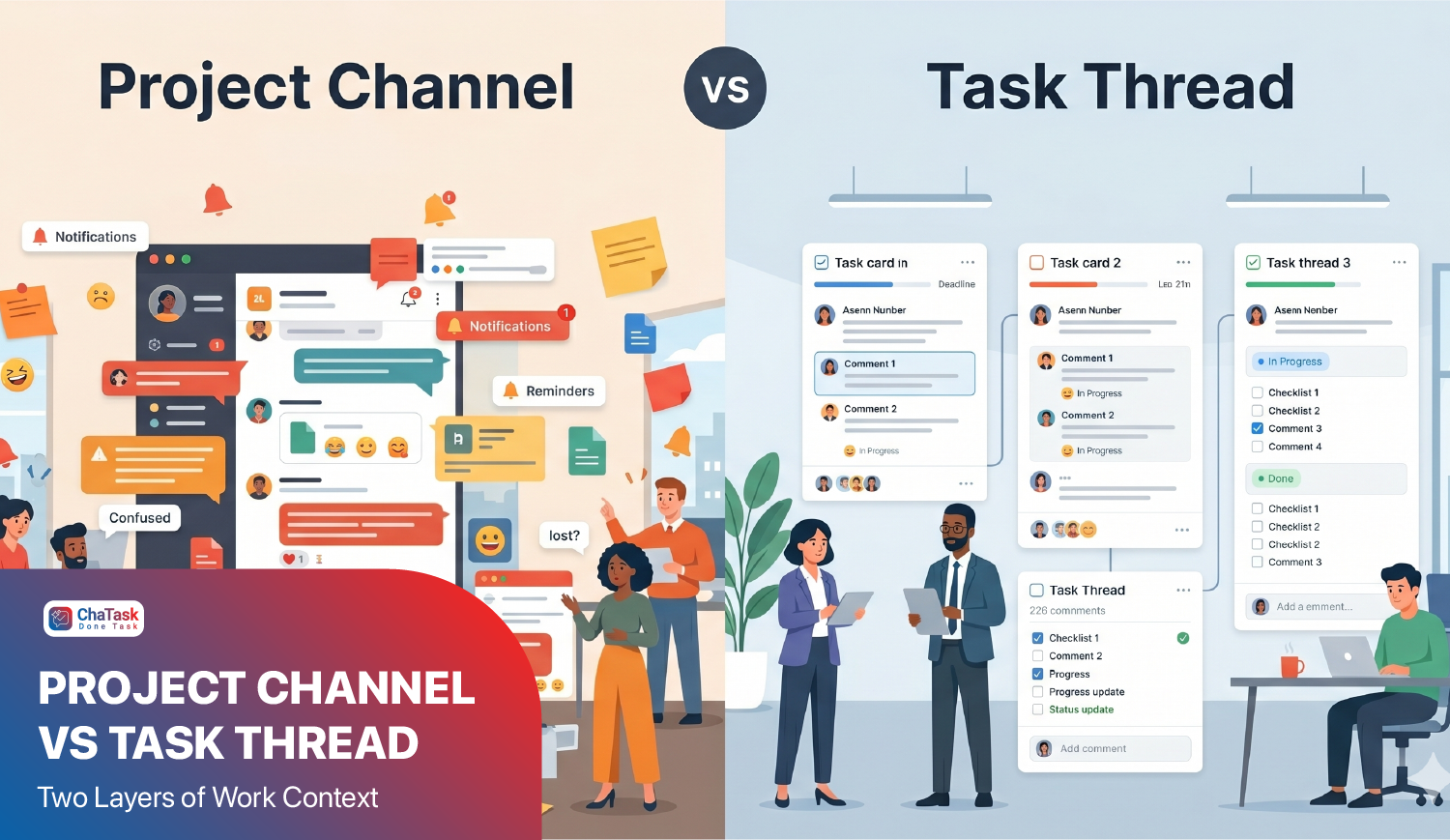
A request can begin in a Project Channel and be turned into a Task directly from the conversation. Further discussions can continue in the Task Thread, keeping relevant feedback, decisions, and context close to the work instead of forcing people to search across multiple conversations.
AI Agents can participate in appropriate parts of the workflow. Reminder Assistant helps remind teams about work that requires attention, Task Follow-Up supports task tracking, while Report Agent can consolidate data so managers can understand progress without manually collecting status updates from every team member.
The workflow can then follow a more continuous path:
Conversation → Task → Execution → Follow-up → Completion → Report
Instead of requiring people to constantly act as the "bridge" between each stage, the system retains context and supports repetitive actions. The time saved does not necessarily come from completing each task faster, but from reducing the time spent on activities that do not directly create value.

Where Should Businesses Start When Optimizing Time?
Before asking employees to adopt another time management method, businesses can start by observing a few of their most frequently used workflows. Look at where work begins, how long it takes to become a task, which stages it usually waits at, how often managers need to follow up, and how many places employees need to check to obtain enough context.
If most of the time is spent on execution, the business may need to improve skills, tools, or task automation. But if most of the time is spent waiting, searching, clarifying, and coordinating, the problem that needs to be solved lies in workflow design.
Businesses also do not need to optimize every process at once. High-frequency workflows with many repetitive actions, such as handling internal requests, producing content, recruiting, or preparing progress reports, are often good places to start.
Effective time management remains an important skill for every individual. Knowing how to prioritize, focus, and allocate time appropriately helps employees make better use of their workday, but these skills solve only part of the productivity problem.
A good workflow therefore does not add more hours to the workday. It helps ensure that more of the hours already available are spent on execution, collaboration, and decision-making, rather than searching for information, switching between tools, and manually tracking work.