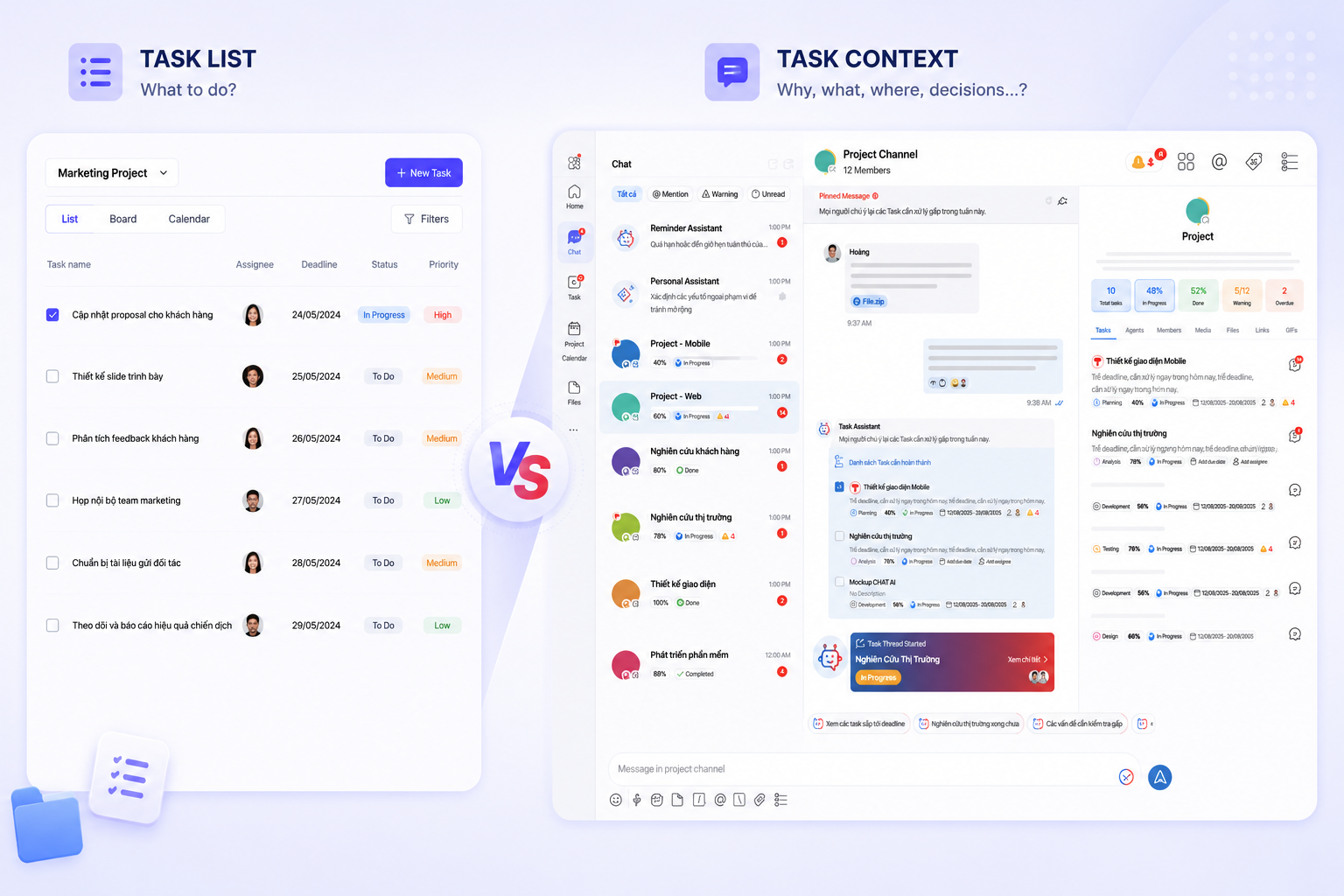
In many workplace tools today, chat is often limited to simply “exchanging information.” Messages quickly get buried, important tasks are overlooked, issues go untracked, and tasks have to be manually recreated from scratch.
But at ChaTask, chat is more than just conversation. Chat is designed to become the center of workflow execution — where every discussion can be transformed into actions, reminders, tasks, or trackable data.
Below are the core features within ChaTask’s chat system and why they are essential for modern workflows.
Reply - Keep Conversations in the Right Context
Workplace conversations usually move very quickly, involve multiple people, and contain several parallel topics at once.
The Reply feature allows users to respond directly to a specific message, helping to:
-
Keep discussions in the correct context
-
Avoid misunderstandings when multiple topics happen simultaneously
-
Make conversation history easier to follow
-
Reduce confusion about “which message is being discussed”
Especially in large project groups or task threads, Reply makes communication clearer and more structured.
Copy Text - Quickly Capture Important Information
A small feature, but extremely important for daily work.
Users can quickly copy:
-
technical content,
-
customer information,
-
error codes,
-
checklists,
-
or work descriptions
without going through complicated steps.
This feature is especially useful for operations teams, technical teams, customer support teams, and project managers.
Edit - Update Messages When Necessary
In real work environments, sending incorrect or incomplete information happens quite often.
ChaTask allows users to edit messages within 3 hours after sending in order to:
-
update information more accurately,
-
fix typos,
-
add missing details,
-
and avoid sending multiple correction messages.
After that time window, messages can no longer be edited to ensure transparency and preserve communication history.
Pin - Highlight Important Information in Conversations
In long discussions, there is always information that needs to stay visible, such as:
-
deadlines,
-
customer requests,
-
important documents,
-
main action directions,
-
or urgent announcements.
ChaTask supports 3 pinning options:
-
Pin for all members with notification
-
Pin for all members
-
Private pin visible only to yourself
This allows each person to manage information based on their own workflow needs.
Forward - Share Information Quickly
In organizations, information often needs to move between different departments.
With Forward, users can:
-
send messages to individuals or other groups,
-
quickly share customer requests,
-
forward issues to technical teams,
-
or pass information to the right person in charge.
In particular, ChaTask allows users to select and forward multiple messages at once, saving significant time in cross-department collaboration.
Delete - Manage Mistakes Within a Reasonable Timeframe
Messages can sometimes contain the wrong files, incorrect information, or be sent to the wrong recipient.
ChaTask supports message deletion within 3 hours after sending. After that period, messages remain visible to maintain transparency in workplace communication.
This creates a balance between:
-
flexibility in handling mistakes,
-
and maintaining a reliable communication history for the organization.
Select - Handle Multiple Messages at Once
In real workflows, there are situations where users need to:
-
forward multiple pieces of content,
-
collect related information,
-
or process several conversations simultaneously.
The Select feature allows users to choose multiple messages in just a few steps instead of handling each message manually.
A small feature that significantly improves workflow speed and efficiency.
Reminder Assistant - Turn Messages Into Work Reminders
Many tasks begin with a simple message:
-
“Remember to send the quotation tomorrow.”
-
“Call this customer back this afternoon.”
-
“Check the system again next week.”
Normally, these messages can easily get lost in chat history.
With Reminder Assistant, users can create reminders directly from any message.
-
The process is simple:
-
Select the message
-
Set the necessary time and information
-
Press Remind
ChaTask helps chat become more than just a place to “read and forget.” It becomes a real system for remembering and managing work.
Make Task - Turn Conversations Into Tasks in Seconds
This is one of ChaTask’s most standout features compared to many workspace platforms today.
Normally, after discussing something in chat, users would need to:
-
open a task management tool,
-
create a new task,
-
copy the content again,
-
enter deadlines,
-
assign responsible members,
-
then return to chat to continue working.
ChaTask completely eliminates this repetitive workflow.
From a single message in a conversation, users can:
-
instantly create a task,
-
attach it to a project,
-
assign responsible members,
-
set deadlines,
-
define priorities,
-
add descriptions,
-
and track implementation progress.
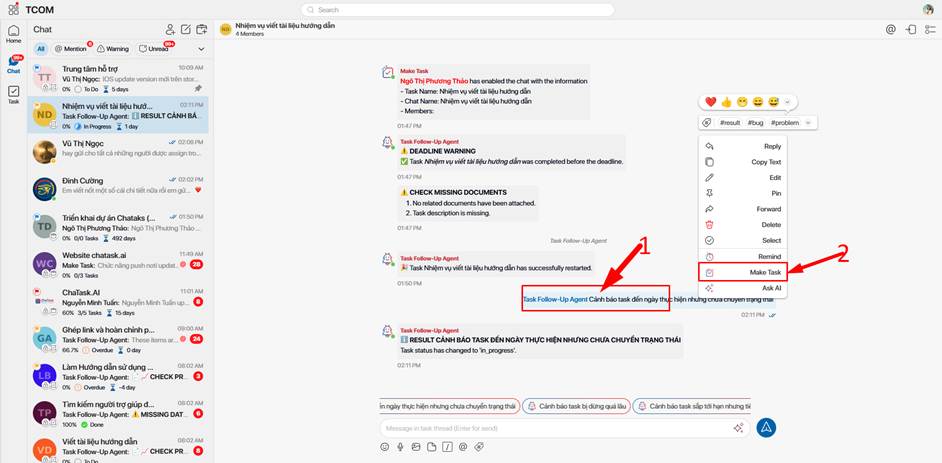
The entire conversation context remains connected without requiring manual copy-paste.
This is how ChaTask directly connects: Chat → Task → Action → Done
Ask AI Agent - AI That Helps Summarize and Process Information Directly in Chat
As conversations grow larger, reviewing entire chat histories becomes extremely time-consuming.
With Ask AI, users can:
-
summarize discussions,
-
extract key points,
-
analyze information,
-
or process requests using suggested commands.
Simply type “/” in the chat box to display AI commands.
AI assists directly within the workflow without requiring users to switch to another tool.
This helps:
-
reduce time spent reviewing conversations,
-
speed up information processing,
-
and minimize the risk of missing important details.
Reactions - Respond Quickly Without Overloading Conversations
Not every situation requires sending a new message.
Sometimes, all that’s needed is:
👍 acknowledged,
✅ agreed,
🔥 high priority,
👀 monitoring,
❤️ appreciated.
Reactions help teams respond quickly without cluttering conversations with short messages like:
“ok”, “received”, “done”, “yes”, etc.
It is a small detail that has a major impact on daily work experience.
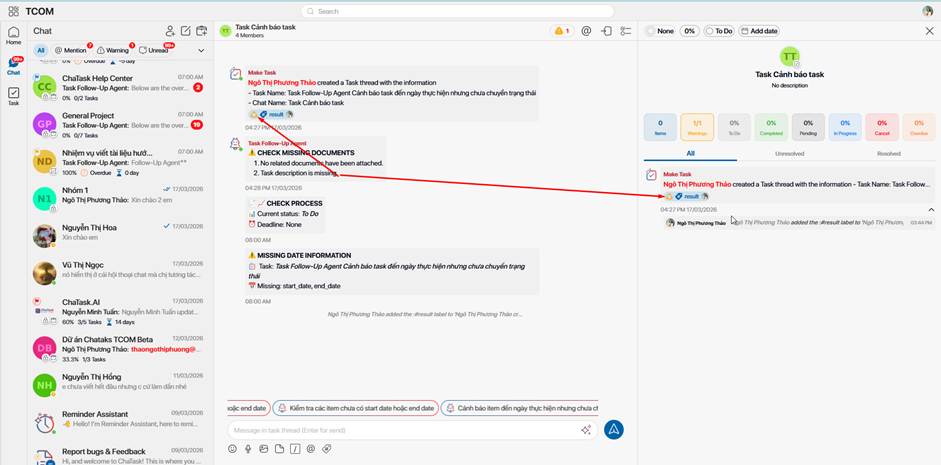
Label Warning - Mark Issues That Need Attention
Inside task threads, there are always:
-
issues that need fixing,
-
problems requiring follow-up,
-
unresolved bugs,
-
or important warnings.
The Label Warning feature allows users to place visible warning labels directly on messages so everyone involved can see them.
The workflow is clear:
-
The creator adds the warning
-
The assigned person changes the status to Resolved
-
The creator confirms it with Confirmed status
This helps ChaTask become more than just a chat tool — it becomes a real workflow tracking system.
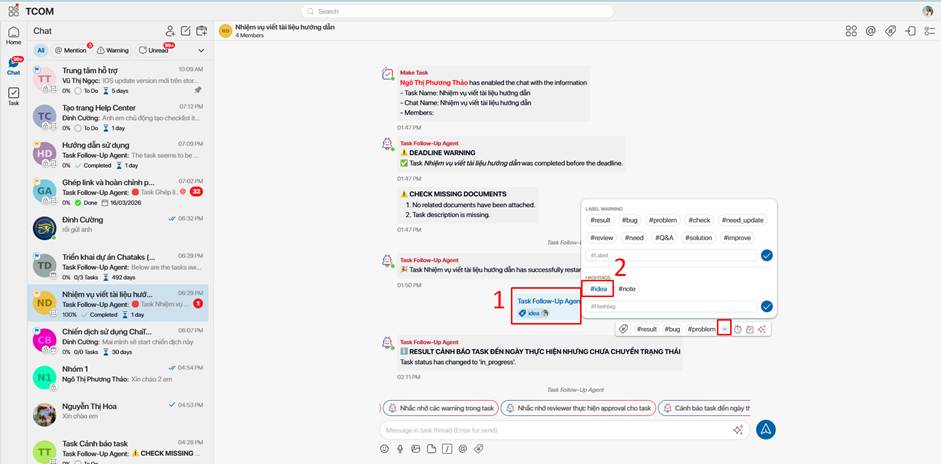
Hashtag - Organize and Retrieve Information Easily
Conversations that last for weeks or months contain huge amounts of data.
With Hashtag, users can:
-
mark messages by topic,
-
categorize content,
-
group related information,
-
and quickly search for it later.
For example:
#bug
#feedback
#urgent
#meeting
#clientA
Instead of remembering “where the message was,” users simply search by hashtag.
Translator AI - Translate Conversations by Language and Industry
Cross-border collaboration or multi-department communication often creates language barriers.
Translator AI supports:
-
direct translation inside chat,
-
multiple languages,
-
and optimization for different industries and specialties.
This is especially useful for:
-
outsourcing teams,
-
multinational companies,
-
technical teams working with international clients,
-
or projects involving multilingual documentation.
Chat Is Not Just for Communication — Chat Should Help Get Work Done
The difference with ChaTask is not simply that it has “many chat features.”
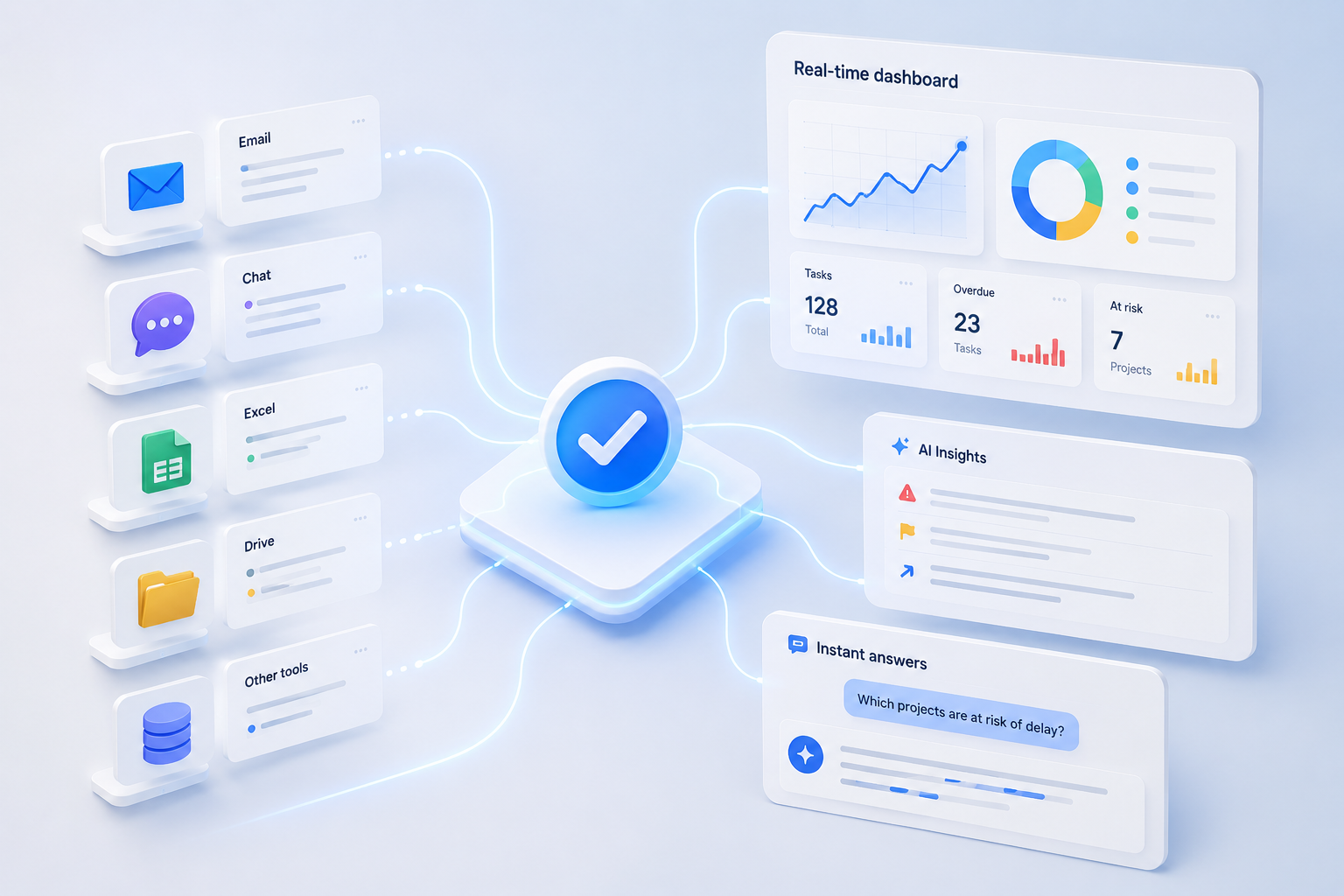
The real difference lies in how every feature is designed to directly support real workplace workflows. From daily conversations, reminders, issue tracking, task execution, and progress monitoring to AI-powered information processing — everything is connected within one seamless workflow.
Chat is no longer just a place for sending messages. Chat becomes the place where work is created, processed, and completed.
That is also the philosophy behind ChaTask: Chat – Task – Ask AI → Done Task!