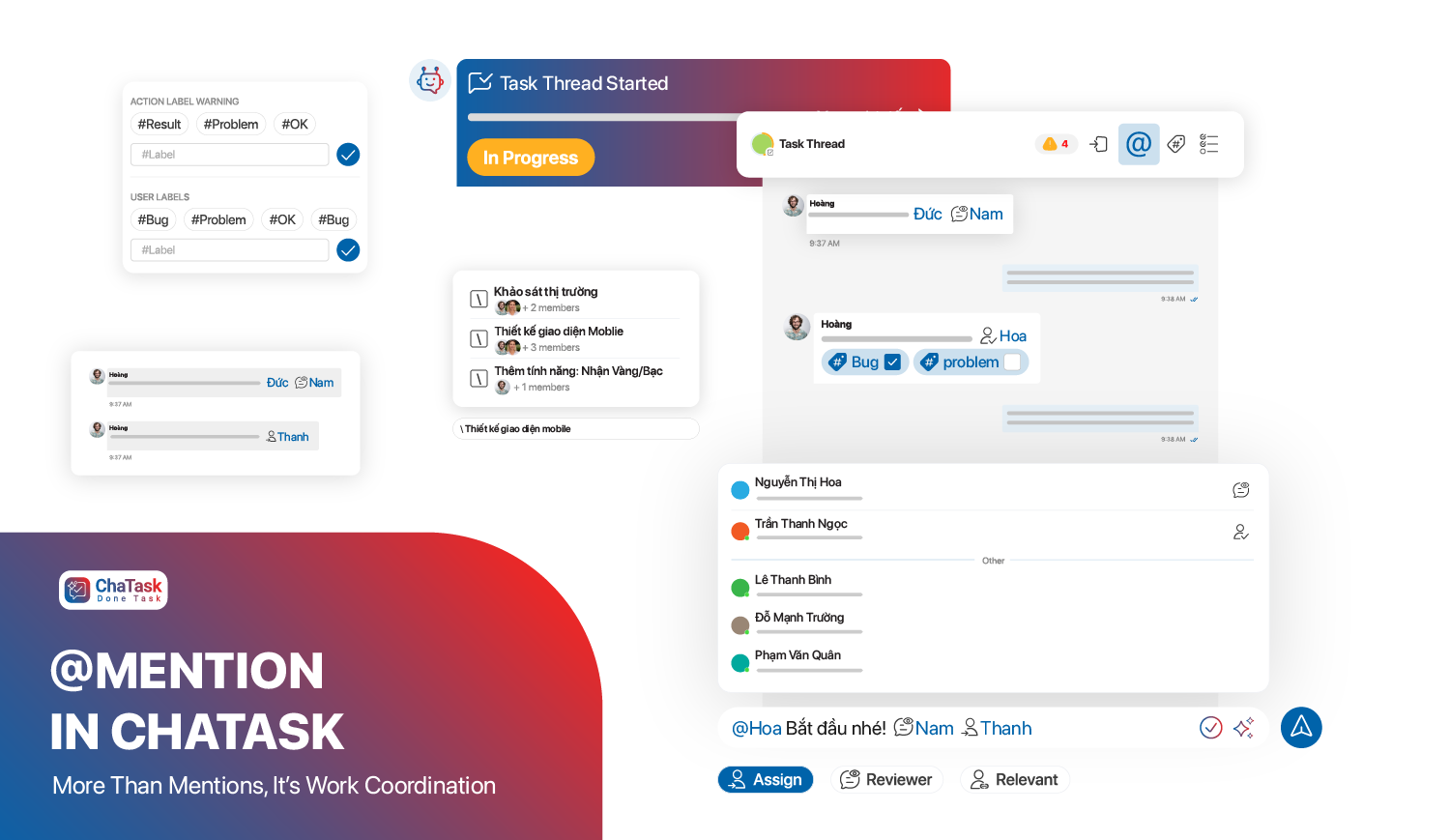
In most organizations, work doesn’t start with tasks - it starts with conversations. A client request, a manager’s directive, or an issue arising during execution - all of these first appear as discussions.
And this is exactly where problems begin.
Information lives in chat, tasks are managed in another system, and documents are stored elsewhere. When it’s time to act, users must piece everything together to understand the context. And when AI is introduced, you have to “re-explain everything from scratch.”
ChaTask approaches this differently: instead of separating communication and execution, it brings everything into one unified space. At the center of this is the Project Channel.
What is a Project Channel?
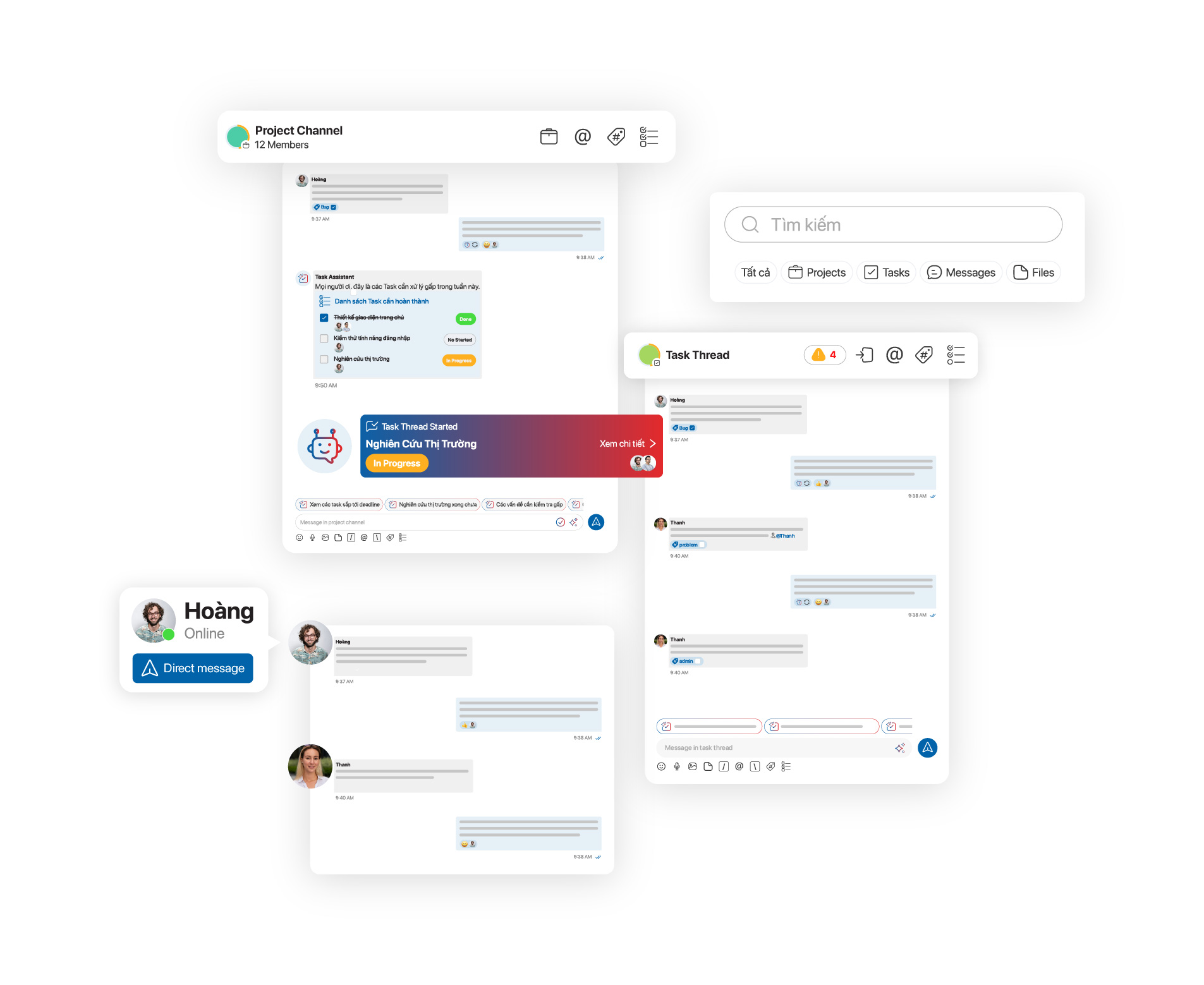
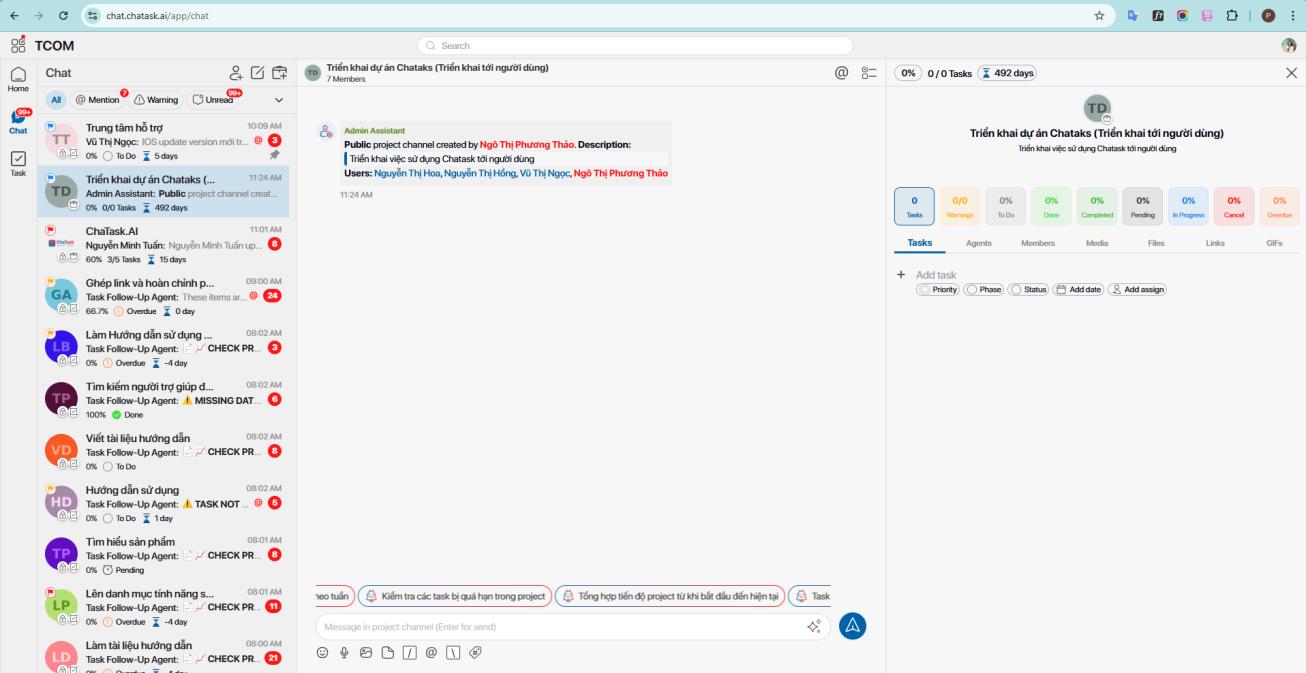
Project Channel is a feature in ChaTask that creates a dedicated workspace for each project - where all related information is kept within a single flow.
Inside a Project Channel, you can:
-
communicate with your team
-
store documents
-
capture decisions
-
track task lists
Nothing exists in isolation; everything is tied to the right project and the right context.
This allows every team member, from new joiners to managers, to quickly understand:
-
how the project is progressing
-
what decisions have been made
-
what tasks need to be done
Without searching through chat history or repeatedly asking others.
Why do you need a Project Channel?
In traditional workflows, information is fragmented:
-
chat is only for communication
-
task tools are only for execution
-
documents are scattered across systems
This leads to:
-
missing information
-
misinterpreted requirements
-
time wasted reconstructing context
-
difficulty tracking real progress
Project Channel solves this by keeping all project information in one place.
Each project has its own channel, preventing confusion between projects and ensuring everything is placed in the right context from the start.
Project Channel and Task Thread: Big picture and details
A Project Channel is not just for communication - it manages the project at a high level.
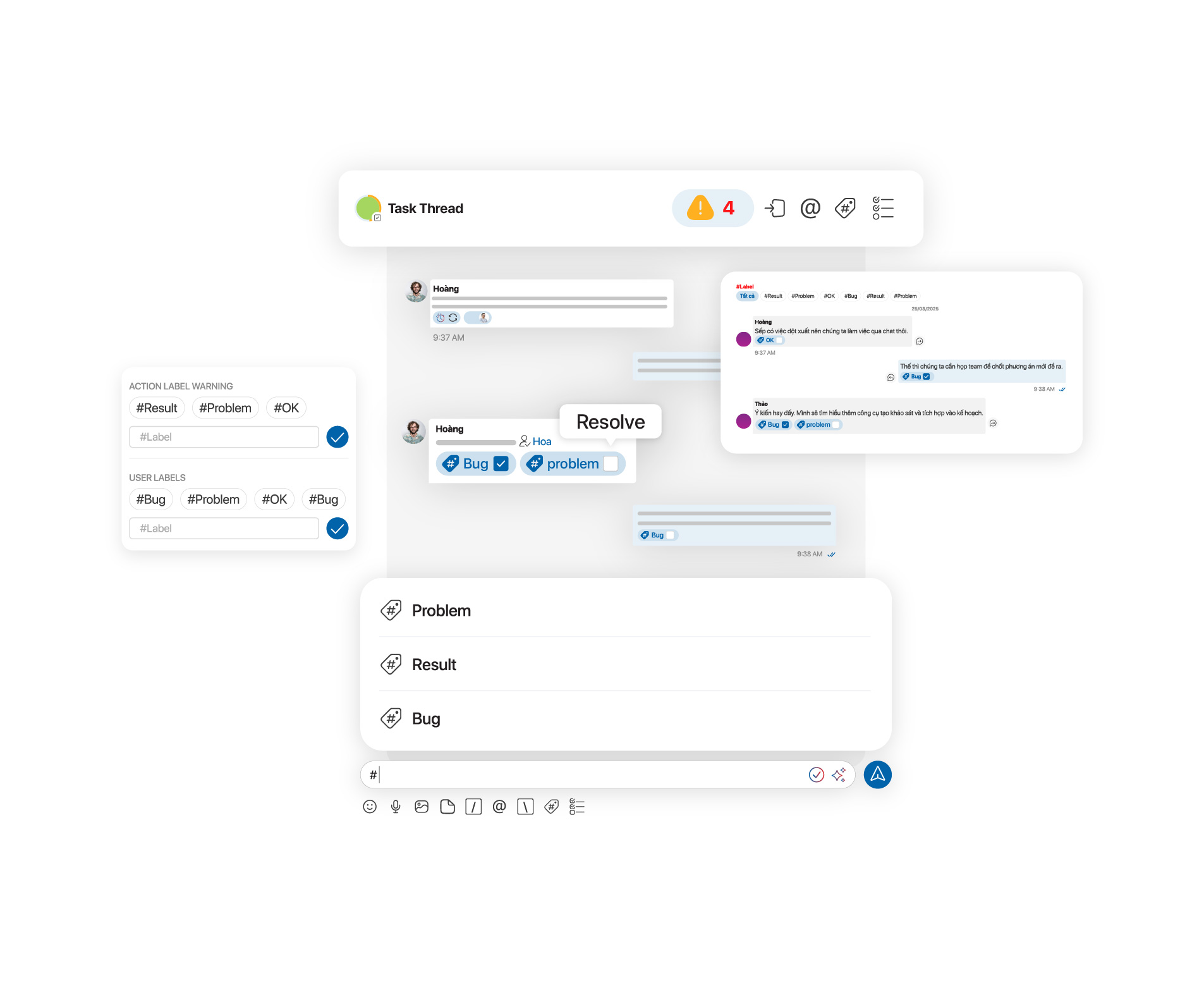
Within it, tasks are organized as Task Threads.
Each Task Thread is a dedicated workspace for a specific task, where:
-
discussions focus only on that task
-
related files and information are preserved
-
progress is continuously updated
This eliminates “information noise,” where users are exposed to irrelevant conversations.
More importantly, it ensures:
-
every task has full context
-
no critical information is lost
-
AI can track and assist based on real data
If Project Channel is the big picture, Task Thread is where focused execution happens.
When should you use a Project Channel?
Project Channel is especially useful when context matters.
When multiple people are involved, centralized information ensures everyone stays aligned.
When a project has many tasks or phases, organizing work through Channels and Threads helps maintain clarity and avoid missing requirements.
When managing documents and decisions, keeping everything in one place reduces loss and ensures consistency.
And most importantly, when applying AI, Project Channel ensures AI always has the context it needs to operate effectively - rather than relying on fragmented inputs.
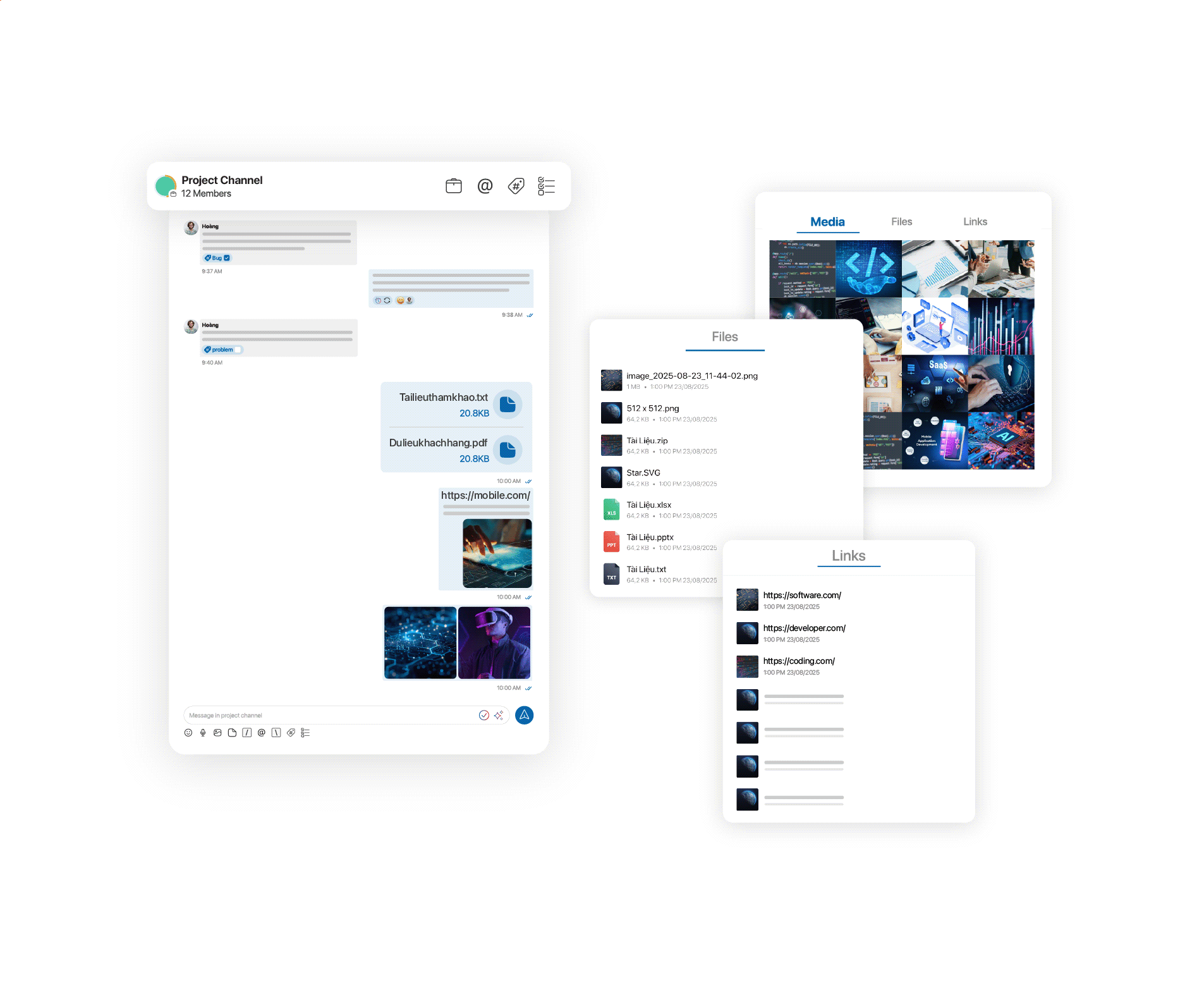
How does Project Channel work in ChaTask?
Creating a Project Channel in ChaTask is simple and happens directly within Chat. Users just need to set up basic project information, then can immediately start communicating, updating, and creating tasks within the same space.
From that point on, the Project Channel becomes the central hub of the project, where all information and work stay within the correct context.
How to create a Project Channel in ChaTask
Creating a Project Channel is designed to be simple so you can start working right where work actually happens.
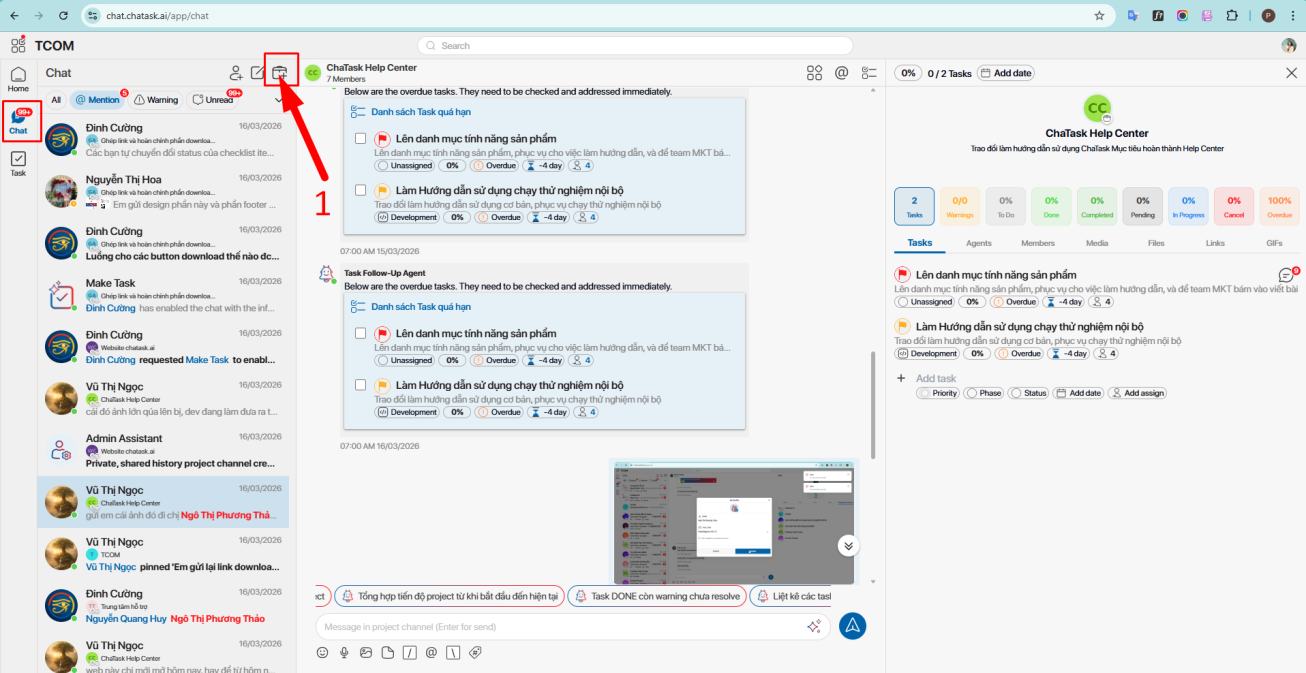
In the Chat section, click the “+” icon to create a new Project Channel. Then, set up the basic project information.
Start by adding a project name and avatar for easy identification. Next, define the project timeline (start and end dates) to set overall expectations.
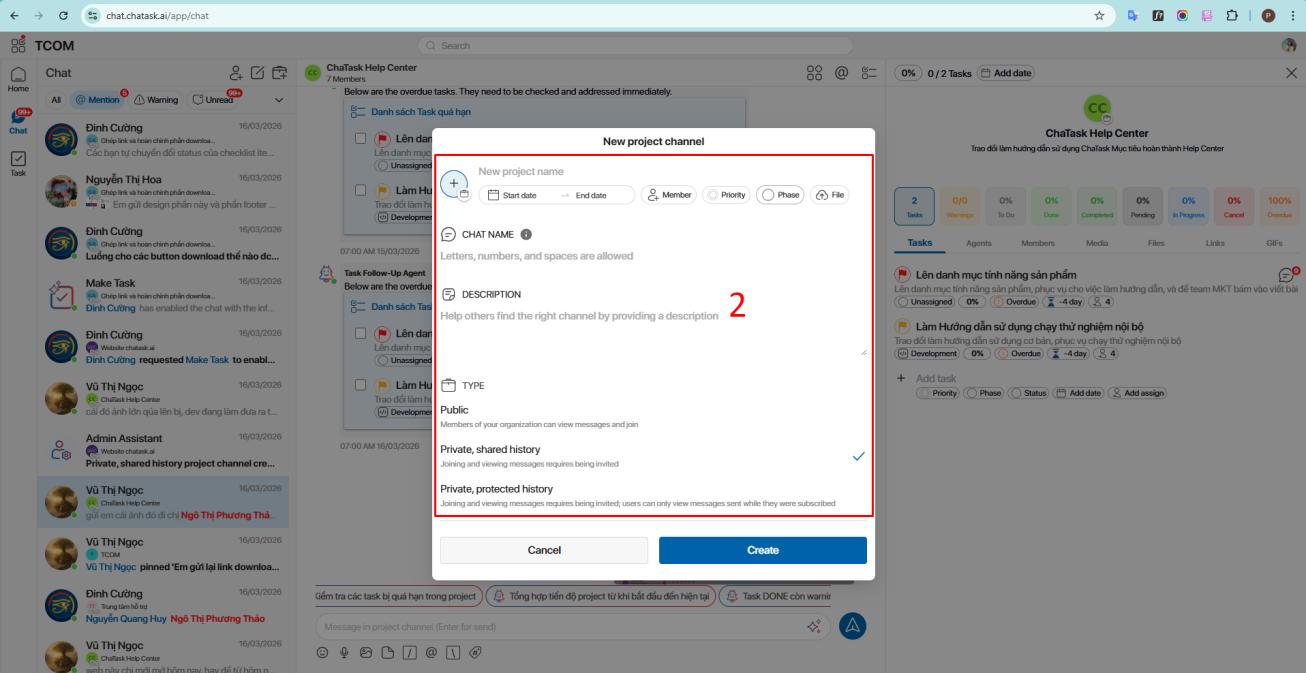
You can invite team members directly into the Project Channel so everyone involved works in the same space from the beginning.
ChaTask also allows you to set project priority (Low, Medium, High, or Urgent) and define the current phase (Planning, Analysis, Design, Development, Testing, Deployment, or Maintenance), helping the team quickly understand the project’s status.
You can also add descriptions and upload relevant documents to keep all important information in one place.
Finally, choose the visibility setting:
-
Public: accessible to the entire workspace
-
Private: only accessible to invited members
Once done, click “Create” to set up your project workspace.
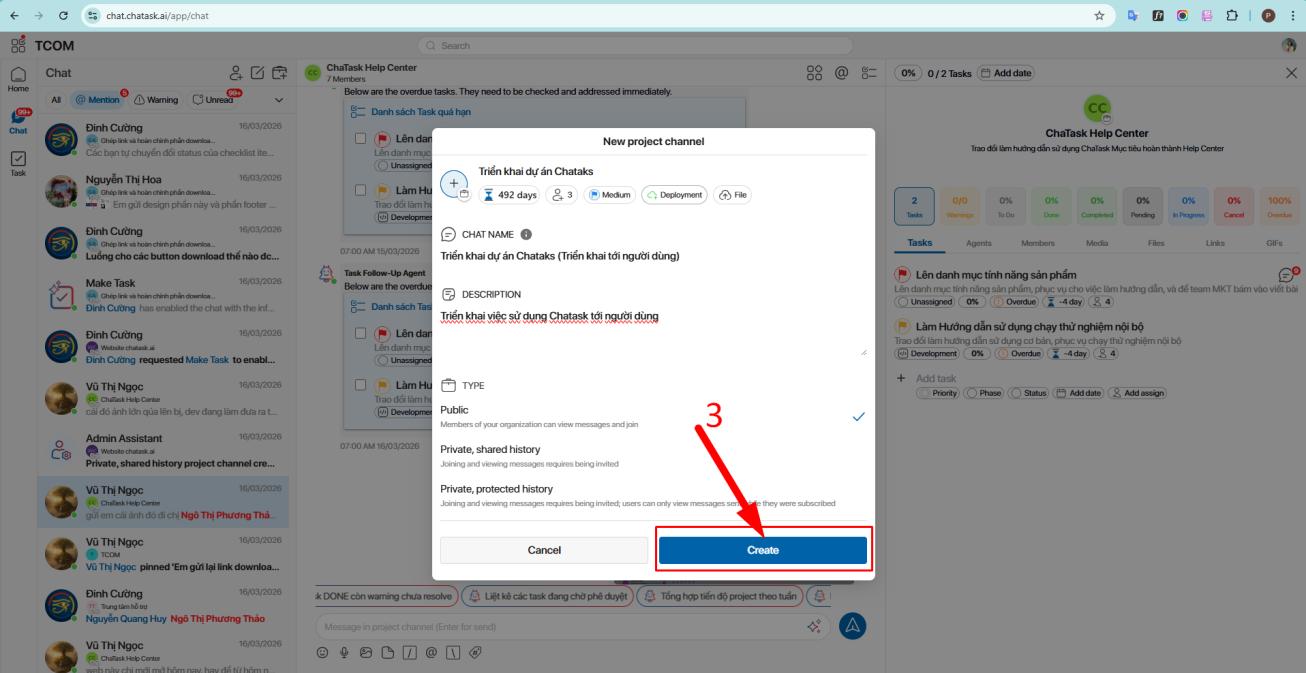
From there, all communication, documents, and tasks remain within a single flow - aligned with the right context.
Not just chat, but a contextual workspace
The biggest difference of Project Channel is not about adding another chat channel - it’s about redefining where work happens.
In ChaTask:
-
chat is no longer just communication
-
tasks are no longer separate from conversations
-
AI is no longer external
Everything is connected within one workspace where context is preserved.
As a result, work no longer gets lost in messages, information is no longer fragmented, and AI can truly understand and assist effectively.
Project Channel provides the foundation for organizing work in context—something most systems lack today.
When communication, tasks, and data are unified:
-
teams work with more clarity
-
progress is better controlled
-
AI can play its role effectively
And that’s how ChaTask doesn’t just “bring AI into work,” but brings AI into the place where work actually happens.